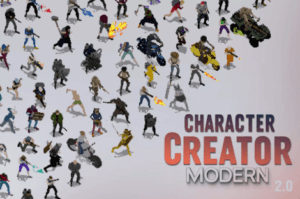
Modular 2D character creator for Unity. Customize gear, weapons, colors, and export 8-directional spritesheets in any style for 20+ animations. Perfect for top-down or isometric games.
For more details about this asset from the Unity Asset Store, please visit: Click Here
This is a paid asset, but now you can download the “Character Creator – Modern 2D” for FREE. Please note that this package is provided solely for learning purposes or to test the product before purchase, and not for commercial use.
Character Creator – Modern 2D v2.0
“If possible, please buy the package to support the developer”
Description
Character Creator – Modern 2D is a comprehensive 2D character customization system built specifically for top-down and isometric games in Unity. Whether you’re building a gritty post-apocalyptic RPG, a tactical shooter, or a survival game with dozens of NPCs, this tool gives you everything you need to create visually consistent, modular 2D characters—with zero drawing required.
🚀 New in Version 2.0!
Version 2.0 introduces powerful new features that give you even greater control over your characters’ look and style:
“With the 2.0 update, users can now choose between HD or pixelated 16-bit exports, add outlines, control animation frame rates, and even equip characters with bikes and vehicles. Create retro or modern looks effortlessly!”
At its core, Character Creator allows developers and designers to assemble characters piece-by-piece using a powerful UI system. You can swap gear in real time, apply custom colors to each part, preview animations instantly, and export professional-quality spritesheets for use in your own project.
It works great with my other HD assets, like Zombie HD pack, Zombie City and Zombie Rural.
🎮 Key Features
🧍♂️ Modular Character Assembly
Build characters visually by choosing from interchangeable parts:
✅ 16+ Heads – Varied shapes, styles, and gear (hair, helmets, caps, masks, etc.)
✅ 14+ Chests – Armors, jackets, tactical vests, and more
✅ 9+ Legs – Military pants, shorts, armor legs, and others
✅ 3+ Shoe types – Boots, sneakers, tactical footwear
✅ 4+ Backpacks – Survival bags, military packs, etc.
✅ 3+ Shields – Riot shield, wooden shield, classic shield, etc.
✅ 26+ Weapons – Including pistols, snipers, shotguns, SMGs, machine guns, crossbows, melee axes, swords and much more.
🎨 Full Color Customization
Each part of the character (head, chest, legs, shoes, weapons, shields, backpacks, gun muzzle) supports individual color tinting using a toggle system or global color swatch panel, making it possible to create an endless amount of unique characters!
Gear can be hidden entirely (great for NPC or civilian characters).
Skin tone is also fully customizable.
🚀 Ways to Use Character Creator
Character Creator is designed for flexibility—here are a few different examples of ways you can integrate it into your project:
🎨 Export Complete Characters: Build and export full characters with any combination of gear, weapon, and animation as ready-to-use spritesheets for your game.
🧱 Export Parts & Components: Use the tool to create and export just a gear set, a unique weapon, or a specific backpack—perfect for layered gear design.
⚔️ Runtime Gear Switching: Skip pre-baked spritesheets entirely and use each character part as a runtime layer. This allows for real-time gear switching, color customization, and live previewing in gameplay without the need to re-render (this is how the example scene does it).
💥 Muzzle Flash & Effects
Includes 4 unique gunfire muzzle effects that dynamically appear during attack animations (toggleable).
Optional shadow layer with customizable opacity. Shadows can be disabled!
Effects like muzzle flashes, directional blood, and impact feedback are supported in preview/demo mode.
🧾 Animations – 23+ Included
Each customized character can be exported into individual spritesheets for each animation. All spritesheets are export-ready with alpha transparency and clean looping frames.
Available animations:
Combat & Action: Attack1 (ranged), Attack2 (Throw), Attack3 (Melee 1), Attack4(Melee 2), RunAttack, RunBackwardsAttack, StrafeLeftAttack, StrafeRightAttack, CrouchIdleAttack, CrouchRunAttack
Movement: Run, RunBackwards, StrafeLeft, StrafeRight, Walk
Idle States: Idle, Idle2 (aiming stance), Idle3 (casual, great for NPCs)
Stealth: CrouchIdle, CrouchRun
Feedback: TakeDamage, Die
Utility/Flair: Taunt (can be used for reloads, looting, crafting, interacting etc.)
Mount: RideIdle – Idling on a bike. RideRun – Driving/riding animation.
Each animation is rendered in a consistent format, perfectly aligned for use in Unity’s 2D animation system or any external sprite-based engine.
📦 Export System – Spritesheet Generator
One-click export of character animations to .PNG spritesheets.
Generates one sheet per animation, each following a clean 15×8 grid.
Optional overlays like shadows and muzzle flashes can be toggled on or off before export.
UI shows live previews of the currently selected gear, color, weapon, and animation.
You can chose to allow the engine to slice your spritesheets and apply the standard options, or do it yourself.
🛠️ Post Processing Features (Added in 2.0)
Enhance your spritesheets with new export options:
Export characters in HD (128×128 pixels per frame) or 16-bit pixel style (64×64 pixels per frame) for a retro feel.Output Resolution Options:
Gradient Outline using inverted nearby colors for a dynamic, stylized border.Outline Effects:
Solid Black Outline for bold silhouettes.
Make idle animations completely static to eliminate subtle breathing or body movement — ideal for retro and pixel-perfect games.Static Idle Mode:
Easily create old-school choppy animations or smooth modern motion.Customizable Frame Rates:
Choose between 4, 6, 8, 10, 12, 14, or 15 frames per animation.
🏍️ Vehicles and Bike Animations (Added in 2.0)
Characters can now ride vehicles, expanding gameplay options:
RideRun – Driving/riding animation.New Animations:
RideIdle – Idling on a bike.
Full color customization supported via the Color Picker.6 Different Bikes Included:
Motorcycles, dirt bikes, scooters, and quadbikes.
Bring mobility and variety to your survivor or raider characters!
🧪 Bonus Features
⚡ Randomizer – Instantly generate new gear/color combinations for fast prototyping or bulk character design.
🎚️ Presets – Switch between full outfits and characters using example presets with just one click.
🎯 Tooltip System – Full tooltips and UI labels make it easy for users to understand what each option does.
🖼️ Simple UI tileset – Cleanly organized gear icons, color icons, buttons, toggles and panels included.
🧍 Unarmed/NPC Mode – Easily hide weapons/backpacks/shields for unarmed characters or civilians.
🧩 Use Cases
Tactical games with customizable squad members
RPGs with player character creation
Procedurally generated NPCs
Survival games with gear progression
Shooters with visible weapon upgrades
Dialogue-heavy games that require visual character variety
⚠️ Note on Usage & Customization
Character Creator is primarily designed as a graphical tool for creating and exporting 2D character spritesheets. While it includes source code and a working UI system, it is not intended to be a fully customizable framework for building your own character editor or in-game creation tool from scratch. The provided documentation focuses on how to use the system effectively for sprite export—not on explaining or modifying every internal detail.
The character creator works best if used within the unity editor.
If you’re looking for a quick and powerful way to visually build and export top-down characters for your own game, this tool is built exactly for that purpose.