Dev Asset Collection

All Things That You Need to Build A Video Game
Menu
  • 2D
    • Characters
    • Environments
    • Fonts
    • GUI
    • Textures & Materials
  • 3D
    • Animations
    • Characters
    • Environments
    • GUI
    • Props
    • Vegetation
    • Vehicles
  • Add-Ons
    • Machine Learning
    • Services
  • Audio
    • Ambient
    • Music
    • Sound FX
  • Essentials
    • Tutorial Projects
  • Templates
    • Packs
    • Systems
    • Tutorials
  • Tools
    • AI
    • Animation
    • Audio
    • Camera
    • Game Toolkits
    • GUI
    • Input Management
    • Integration
    • Level Design
    • Localization
    • Modeling
    • Network
    • Painting
    • Particles & Effects
    • Physics
    • Sprite Management
    • Terrain
    • Utilities
    • Version Control
    • Video
    • Visual Scripting
  • VFX
    • Particles
    • Shaders
Home
3D
Characters
Retro Horror Template – Character Selection – Free Download

Retro Horror Template – Character Selection – Free Download

Tsunami 5 August, 2026
Sending
User Rating 0 (0 votes)

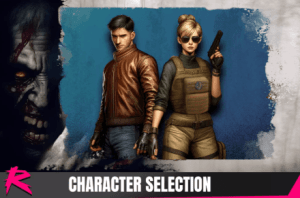
This pack includes a secondary character, a character selection screen, and examples demonstrating character switching at runtime. Requires Retro Horror Template.

For more details about this asset: Click Here

This package is provided solely for evaluation, learning, or testing purposes before purchase and is not permitted for commercial use.

Retro Horror Template – Character Selection v1.1.2 (Latest version)

VIP Only

“If possible, please buy the package to support the developer”

Description
This addon includes a character selection mechanic and UI similar to those found in classic horror games.

Opening the character selection screen from New Game
In order for the character selection screen to show up when the “New Game” is selected from the main menu do the following:

Add the scene SampleCharacterSelection to the BuildSettings. Including all the other SampleCharacter scenes is also necesary to test the demo correctly

In the SampleMainMenu scene, set the scene SampleCharacterSelection on the StartTransition object and remove the SpawnCharacter reference.

Setting up the character selection screen
The characters available on the selection screen can be tweaked on the UICharacterSelection component where you can add an entry for each character in your game:

Please be mindful that these characters and the character data have to match the available characters defined on the GameManager prefab.

Prev Article
Next Article

Related Articles

Modular RPG Hero Polyart – Free Download
Tsunami 8 May, 2021

Modular RPG Hero Polyart – Free Download

Stylized Boar Boss – RPG Forest Animal – Free Download
Tsunami 5 March, 2023

Stylized Boar Boss – RPG Forest Animal – Free Download

Ravens S1: Assassin – Free Download
Tsunami 19 June, 2022

Ravens S1: Assassin – Free Download

Classic Role Playing Races – Free Download
Tsunami 20 October, 2021

Classic Role Playing Races – Free Download

Leave a Reply Cancel Reply

Recent Posts

  • Bow & Arrow Animation Set – Free Download
  • Great Sword Animation Pack – Free Download
  • Liquid Glass & Blur UI Shader – Mobile/Desktop – Free Download
  • 2D Characters – Casual – Free Download
  • Utility AI – Smart NPCs, Enemies & Living Worlds (Wise Feline Ultimate) – Free Download

Dev Asset Collection

All Things That You Need to Build A Video Game
Copyright © 2026 Dev Asset Collection
Privacy Policy | Disclaimer | DMCA