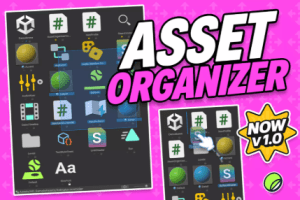
Asset Organizer is a powerful Unity tool that organizes, sorts, and manages your Project Window in a few clicks reducing clutter, improving speed, and streamlining your workflow.
For more details about this asset: Click Here
This package is provided solely for evaluation, learning, or testing purposes before purchase and is not permitted for commercial use.
ASSET ORGANIZER – Ultimate Project Window Sorting v1.1.0 (Latest version)
“If possible, please buy the package to support the developer”
Description
Asset Organizer is a productivity-focused Unity Editor tool that gives you full control over the Project Window with real support for Custom Sorting, Manual Reordering, Pinning, and enhanced Selection workflows.
As projects scale, organizational debt grows: messy folder structures, lost assets, inconsistent sorting, and limited native selection tools. Asset Organizer brings everything into a clean workflow and helps you keep your project structure under control.
✨ Lower navigation friction
✨ Cleaner & safer project management
✨ Faster iteration (organize → find → build → refine)
🛠️ How It Works
Scans open Project Browsers and injects custom interface controls for instant access.
Overrides native sorting using a high-performance reflection system to apply your custom rules.
Tracks manual changes in a persistent state file that remains consistent across sessions.
Generates diagnostic reports to ensure your project window health and reflection bindings are optimal.
🗂️ Advanced Sort Modes
Manual Sort: Drag and drop assets into your own curated, persistent order.
Size & Type: Sort by actual file size or grouped asset categories.
Modified Date: Keep recently changed files at the top of your view.
🖱️ Enhanced Box Selection
Predictive Marquee: A reliable selection box that works across all zoom levels and layouts.
Auto-Scroll: Viewport automatically follows your drag when selecting large groups.
Additive Logic: Easily toggle or add to current selections with standard modifiers.
📌 Anchor & Visibility System
Pin to Top: Keep critical assets anchored at the start of the list regardless of sort mode.
Lock Position: Prevent accidental reordering of curated assets during manual edits.
Favorites (Star): Lightweight visual markers for frequently accessed project items.
🔄 Folder Profiles
Per-Folder Settings: Save specific sort criteria for different directories (e.g., Manual for Levels, Date for Sprites).
Auto-Apply: Organizer automatically switches modes as you navigate through your project.
🎞️ Smooth Visual Feedback
Reorder Animations: Cubic-eased ghosting effects provide clear feedback during reordering.
Insertion Rails: Precise blue-line indicators show exactly where your assets will land.
🔍 Diagnostics & Debugging
Reflection Health: Real-time tracking of Unity Editor internal bindings.
Debug Filter: Tune log verbosity and subsystem channels to troubleshoot complex setups.
Undo/Redo Support: Full integration with Unity’s Undo system for all organizational changes.
🌍 Support & Community
Join our Discord for support, tips, and discussions.
Full documentation included with a quick-start guide.
If Asset Organizer improves your workflow, please consider leaving a review thank you! 🙏
Technical details
📦 Package Contents
AssetOrganizer Core Logic (Custom sorting, manual reordering, and state management).
Enhanced Box Selection System (Marquee selection with auto-scroll and additive logic).
Inspector + Editor Tooling (Bottom-right toolbar, context menus, and quick actions).
Folder Profile System (Save and apply per-folder sorting configurations).
Diagnostics Window (Reflection health tracking and runtime state readout).
Debug Filter Module (Verbosity levels and subsystem channel filtering).
Onboarding System (Quick-start guide and integrated documentation).
Reorder Animation Module (Smooth cubic-eased visual feedback).
Icon & UI Resources (Custom-resolved editor textures for Pin, Lock, and Favorites).
Persistence Layer (JSON-based storage for all organizational changes).
Undo/Redo Integration (Full state recovery for all organizer actions).
✨ Key Features
One-click Custom Sorting (Toggle between Name, Manual, Size, Type, and Modified Date).
Manual Reordering (Drag-and-drop assets into a curated, persistent order).
Predictive Box Selection (Reliable marquee selection that works across all zoom levels).
Auto-Scroll Support (Viewport follows selection drag during large group operations).
Lock Position: Prevent accidental movement of curated items.Anchor System
Pin to Top: Keep critical assets at the start of the list.
Favorites (Star) System (Lightweight visual markers for frequently used assets).
Auto-Apply: Context-aware mode switching during navigation.Smart Folder Profiles
Per-Folder Settings: Distinct sort modes for different directories.
Ghost Animations: Eased visual feedback for asset movement.Visual Validation
Insertion Rails: Precise blue-line indicators for reorder drops.
Subsystem Logging: Granular control over debug output via the Filter window.Diagnostics & Health
Reflection Tracking: Real-time monitoring of Unity Editor internal bindings.