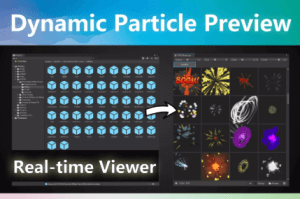
Possibly the only VFX Browser on the Asset Store that supports real-time thumbnail playback for Particle Systems and VFX Graphs.
For more details about this asset: Click Here
This package is provided solely for evaluation, learning, or testing purposes before purchase and is not permitted for commercial use.
Dynamic Particle Preview | VFX Browser v1.8 (Latest version)
“If possible, please buy the package to support the developer”
Description
😫 The “Black Box” Problem
Unity’s default project view shows static icons for particles. Is it a massive explosion or a tiny spark? You won’t know until you drag it into the scene.
💢 For Combat Designers and Artists, this is a nightmare.
Searching for the perfect “Hit Impact” among 100 prefabs means:
Drag to scene.
Press Play.
Wrong effect.
Delete.
Repeat 99 times.
✅ Real-time Dynamic Thumbnails
The first and only browser that plays your particle systems (and VFX Graphs) directly in the thumbnail view. No more static icons—see the timing, color, and movement immediately.
Combat Designers: Find the perfect impact rhythm instantly.
Level Designers: Test environment FX without the mess.
VFX Artists: Organize and showcase your library visually.
Unity 6 Ready (New!)
Fully compatible with Unity 6. Works perfectly out of the box with the latest Unity lts version.
Key Features
Real-time Dynamic Thumbnails
Real-time Trail Preview
Simulate Moving Emitters
Runtime Preview Support
Particle Systems Support
VFX Graph Support
Drag & Drop Preview
Drag & Drop to Scene
Camera Panning
Interactive Rotation
Zoom In/Out Support
Animator Component Support
Adjustable Background Brightness
TECHNICAL DETAILS
Unity 2019, 2021, 2022, 2023, Unity 6.
Zero runtime overhead. Only in Editor.
Compatible with Built-in, URP.
Full C# source code included.
Accelerate Your Game Design Workflow Again!
💜 Quick Drag & Drop | Level Placer – 10x your level design speed
Are you tired of wasting 50% of your time clicking through deep folder hierarchies just to find one rock or tree? Level Placer is designed for one purpose: To make Level Design 10x Faster.
💚 Root Select Locker – Stop selecting child objects by mistake
Are you tired of accidentally selecting a door handle when you meant to move the whole house? Or dragging a child mesh instead of the character root? Root Select Locker is a lightweight, editor-only workflow tool designed to solve the most frustrating part of level design: Accidental Child Selection.
Technical details
Compatibility: Unity 2019, 2021, 2022, 2023, Unity 6.
Performance: Zero runtime overhead. only runs in Editor.
Render Pipeline: Compatible with Built-in, URP.
Source Code: Full C# source code included.