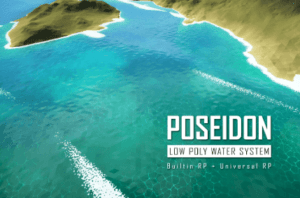
A low poly water system that provides tools for water bodies and post FX, scales from rivers to oceans, with flexible mesh generation, performance controls, and queryable data for gameplay.
For more details about this asset: Click Here
This is a paid asset, but now you can download the “Poseidon 2 – Low Poly Water System” for FREE. Please note that this package is provided solely for learning purposes or to test the product before purchase, and not for commercial use.
Poseidon 2 – Low Poly Water System v2.0.3
Poseidon 2 – Low Poly Water System v2.0.2
“Sharing is caring”
Description
OVERVIEW
Poseidon 2 is a low poly water system built for faceted games. It provides shaders that made with Shader Graph, tools for create and edit water objects in common use cases, including ocean, river, stream, lake and pond.
WORKFLOW
Water bodies are created using dedicated component depending on what you’re making:
Tileable Water: repeat the same plane-like mesh several times to cover a large area.
Area Water: use anchor points to define water shape.
River Water: use multiple interconnected splines for the water path.
The rest is just standard mesh renderer and material. Simple. Effective.
CUSTOMIZATION & PERFORMANCE
Water shaders were made with Shader Graph in a modular way, so you can modify them easily. Features can be toggled by a few graph tweak such as rewiring, add/remove subgraph.
Or even simpler, you can just switch between premade shaders in a library of more than 20 variants. The variants combine features that suitable for PC, mobile and VR projects.
GAMEPLAY INTEGRATION
Poseidon 2 provide some water data that can be hook into your gameplay logic:
Water level: Retrieve water height level at any point in the scene using C# (example: making a buoyancy system)
Events: Notify when the player just enter or exit water body (example: play breathing sound, start swim animation, emit particles, etc.)
Note: a full buoyancy system is not included.
——————————————————————————————————
UPGRADE FROM POSEIDON 1
Poseidon 2 is a major update with reworked structure and workflow. It is intended to replace Poseidon 1 rather than a periodic update. Your project may break if importing 2 versions at the same time.
Some features were removed/deprecated to align with future roadmap.
Existing users can upgrade to Poseidon 2 for FREE.
Technical details
VISUAL STYLE
Mainly hard edged, faceted shading.
Some shader variants support smooth stylized look.
SHADERS
Made with Shader Graph, clean graph structure, easy to modify.
Each water effect has dedicated subgraph, reducing clusters.
WaterFX (Post processing) shaders were hand written.
WATER FEATURES
Below is the list of all water features. A shader variant may not include but combine some of them depending on its target.
Ripples: Very small and random water movement, up and down.
Wave: Uni-directional wave with steepness (lean forward) control, foam for wave crest.
Wave Mask: Texture based mask for wave height & crest intensity, in world space, with dedicated placement tool.
Mesh Noise: Chaotic water movement on horizontal plane, breaking the uniformity of mesh’s polygons.
Scrolling Normal Map: Combine 2 or more normal map at different scale and direction, for stylized look.
Standard PBR: Lit shader with tint color, specular and smoothness.
Light Absorption: Simulate the visibility reduction when light goes into very deep water body.
Fresnel: Alter water transparency (see-through) based on view direction.
Foam: Add bubble foams where the water meets other geometry (edge-intersection). It also add foam to wave crest and waterfall if applicable:
Planar Reflection: Re-render the scene at a different view direction mimicking light bounce off the water surface.
Refraction & Caustic: Simulate the effect where light get bent when going through water and project light rays on surface underneath. No projector used.
Time: Auto time increment or manual control for multi-player.
POST PROCESSING (WATER FX)
Underwater and wet lens effect that simulate visibility reduction caused by the water volume itself and droplets on camera lens when the player jump in and out of the water body.
PROJECT REQUIREMENTS
Unity 2021.3+
BiRP or URP
PACKAGE DEPENDENCIES
The following packages are required for the tool to work:
Shader Graph (com.unity.shadergraph)
For using underwater & wet lens effect in BiRP, you also need to install:
Post Processing Stack V2 (com.unity.postprocessing)
TARGETED PLATFORMS
Standalone PC, Mac, Linux
Mobile
VR (Single Pass Instanced stereo rendering, limited feature set)