Dev Asset Collection

All Things That You Need to Build A Video Game
Menu
  • 2D
    • Characters
    • Environments
    • Fonts
    • GUI
    • Textures & Materials
  • 3D
    • Animations
    • Characters
    • Environments
    • GUI
    • Props
    • Vegetation
    • Vehicles
  • Add-Ons
    • Machine Learning
    • Services
  • Audio
    • Ambient
    • Music
    • Sound FX
  • Essentials
    • Tutorial Projects
  • Templates
    • Packs
    • Systems
    • Tutorials
  • Tools
    • AI
    • Animation
    • Audio
    • Camera
    • Game Toolkits
    • GUI
    • Input Management
    • Integration
    • Level Design
    • Localization
    • Modeling
    • Network
    • Painting
    • Particles & Effects
    • Physics
    • Sprite Management
    • Terrain
    • Utilities
    • Version Control
    • Video
    • Visual Scripting
  • VFX
    • Particles
    • Shaders
Home
Tools
Animation
JcmFix – Dev Community

JcmFix – Dev Community

Tsunami 27 May, 2025
Sending
User Rating 1 (1 vote)

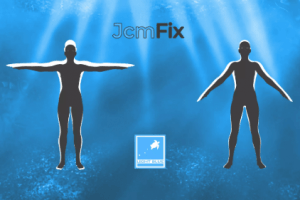
JcmFix is a script solution that automatically animates default Genesis 3 and 8 JCM’s (Joint Controlled Morphs) by making them follow joint rotations just as they do in Daz Studio.

For more details this asset from the Unity Asset Store: Click Here

JcmFix v1.0

VIP Only

“Sharing is caring”

JcmFix is a script solution that automatically animates default Genesis 3 and 8 JCM’s (Joint Controlled Morphs) by making them follow joint rotations just as they do in Daz Studio.

Genesis figures can not work in Unity exactly as they do in Daz Studio because of the way in which Unity calculates weight maps and bone rotations.

JcmFix will automatically fix bone rotations by adding an extra bone where needed and thus mitigate to an extent weight mapping problem.

In order for this to work, JcmFix must export the character as a new .fbx file, which it also does automatically by using Unity’s FBX Exporter (required). FBX Exporter is a free asset that can be downloaded through the Package Manager and just exited the preview stage. JcmFix can also be used to bind any other two blend shapes from the same skinned mesh renderer by adding or multiplying just like ERC Freeze in Daz Studio, allowing you to set up custom characters with their own JCM’s.

Note: Animating all Genesis JCM’s can be very performance heavy so JcmFix is set to ignore all finger JCM’s by default and this can be changed by editing the script’s dictionary as instructed in the README file, to enable or disable any of the given JCM’s.
Prev Article
Next Article

Related Articles

Editor Animation Viewer – Dev Community
Tsunami 11 July, 2025

Editor Animation Viewer – Dev Community

JU Foot Placement – Advanced Foot Placement IK System – Dev Community
Tsunami 9 January, 2025

JU Foot Placement – Advanced Foot Placement IK System – Dev Community

Waves Creator 15 – Dev Community
Tsunami 10 September, 2020

Waves Creator 15 – Dev Community

Motion Path Animation Editor – Dev Community
Tsunami 11 July, 2023

Motion Path Animation Editor – Dev Community

Leave a Reply Cancel Reply

Recent Posts

  • Japanese City – Environment – Free Download
  • Japanese School – Fully Furnished Environment – Free Download
  • Cartoon Interactive Rooms & Furniture – Cozy Interior Pack – Free Download
  • RPG/FPS Game Assets for PC/Mobile (Set v10) – Free Download
  • Shield With VFX Pack Vol. 2 +300 Variations – Free Download

Dev Asset Collection

All Things That You Need to Build A Video Game
Copyright © 2026 Dev Asset Collection
Privacy Policy | Disclaimer | DMCA