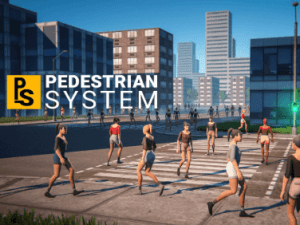
Create a realistic and vibrant urban environment with a customizable Pedestrian System. Assign pedestrian types, set priority waypoints, and manage dynamic obstacle avoidance.
For more details about this asset: Click Here
This package is provided solely for evaluation, learning, or testing purposes before purchase and is not permitted for commercial use.
Mobile Pedestrian System v1.5.8 (Latest version)
Mobile Pedestrian System v1.5.6
Mobile Pedestrian System v1.5.0
Mobile Pedestrian System v1.2.2 (16 Dec 2025)
Mobile Pedestrian System v1.2.1 (25 Sep 2025)
Mobile Pedestrian System v1.2.0 (25 Aug 2025)
Mobile Pedestrian System v1.1.2
“Sharing is caring”
Key Features:
Waypoint-based pedestrian system.
Uses a grid system, allowing it to be used in any scene dimension without performance issues.
Movement is made using Apply Root Motion from the character animator.
Support for any humanoid characters.
Support for any animations.
Easy to create and integrate custom behaviours.
Support for traffic lights and no traffic lights street crossings.
Independent crossing component for integrating with existing vehicle systems.
Seamless integration with the Mobile Traffic System.
Pathfinding on waypoints. Method to find the shortest path between 2 waypoints using the existing waypoints inside the scene.
The ability for pedestrians to follow a given path. Method to make any pedestrian form anywhere in the scene to reach a specific destination.
Basic static and dynamic obstacle avoidance.
Pedestrian types – assign different types of pedestrians and allow access in specific areas based on pedestrian types. (Ex: only pedestrians marked as students will walk inside campus).
Priority waypoints. Ability to set the importance of the pedestrian paths. Useful to spawn more pedestrians in the crowded areas downtown and fewer on city edges.
Custom events on waypoints. Those events are triggered when a pedestrian reaches a specially marked waypoint. Useful for dynamic actions inside the app.
Capability to include pedestrians in the vehicle pool that will not be instantiated by the system. These pedestrians must be programmatically instantiated at the appropriate time.
Ability to subscribe to various events for a better overview of what happens inside the system and better customization opportunities.
Added delegates for some actions to easily change the default behaviors used by the system.
Custom editor tools – many editor windows to make the integration process as smooth as possible.
Pooling and reutilization system to create density around the player with fewer pedestrians, enhancing performance.
Simple API for advanced functionalities.
Complete code included and commented.
Works for any platform that supports the Burst compiler.
Requires Unity 2021.3 LTS and above.
Compatible with Unity 6.
Compatible with:
Road Constructor
Demo:
PC
All that you see in the demo is included inside the package:
1 production-ready Pedestrian thanks to SICS Games.
Animations from the Adam project made by Unity: Die, Idle, Revive, Run, Walk.
1 mobile production-ready car with 3 LODs and changeable colors, thanks to PolyNinja
9 road tiles that can be assembled in any way to create complex roads.
20 simple city buildings to populate your environment.
1 demo scene that assembles all the above elements into the playable scene from the demo.
For more pedestrians, I recommend the Toon City People, which are professionally made and easy to integrate into our system, as demonstrated in the tutorial.
Technical details
Parallel job system – for better performance.
Burst compiler – to speed up the computations.
Pooling system – spawns the pedestrians around the player so you can create high-density with a low number of pedestrians. Very scalable for huge environments.
Layer management – for better optimization.
Waypoint system- it comes with an easy-to-use Waypoint editor, so waypoint generation is semi-automatically.
Movement is made using Apply Root Motion from the character animator.
The system requires only a blend tree with a turn animation and a walk animation to work. The configuration is provided inside the package.
Any other animations and behaviours can be easily integrated.
Full code is provided and fully commented, no dlls.