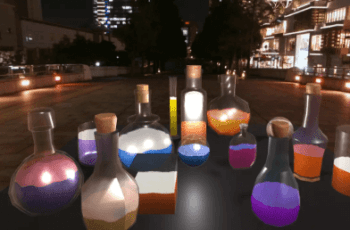
Make tilt-shift style miniature scenes (as in the Link’s Awakening game).
For more details about this asset: Click Here
This is a paid asset, but now you can download the “Artistic: Tilt Shift” for FREE, Please keep in mind this package is provided only for learning purposes or to be able to test before buying the product, NOT FOR COMMERCIAL PURPOSES.
Artistic: Tilt Shift v3.0.1 (22 Feb 2026) (Latest version)
Artistic: Tilt Shift v3.0.0 (14 Feb 2026)
Artistic: Tilt Shift v2.1.3 (29 Sep 2025)
Artistic: Tilt Shift v2.1.2 (03 Sep 2025)
Artistic: Tilt Shift v2.1.1 (23 Apr 2025)
Artistic: Tilt Shift v2.1.0 (17 Mar 2025)
Artistic: Tilt Shift v2.0.2 (19 Feb 2025)
Artistic: Tilt Shift v2.0.1 (11 Dec 2024)
Artistic: Tilt Shift v1.0
“Sharing is caring”
✓ Turn your game into an adorable miniature with just one click.
✓ Many parameters to configure.
✓ Full source code (scripts and shaders).
✓ Included in the ‘Artistic Bundle’.
? Online documentation, support and free updates.
? Desktop, mobile, VR and web.
? Supported by all LTS versions.
? Unity 2021.3 or higher.
? Universal RP 12.1.7 or higher.
? Assets used in video and demo are not included
Used to simulate a miniature scene, something very used in cinema as in the race scene of ‘The Social Network’. Once installed, when you select your ‘Universal Renderer Data’, you will see something like this:
With ‘Intensity’ (1) you can control the intensity of the effect. If it is 0, the effect will not be active.
You can modify the angle (2), aperture (3) and offset (4) of the effect. Also the blur intensity (5) and distortion (6).
You can also modify certain color parameters in the ‘focused’ (7) area (where the effect is not applied) and in the ‘unfocus’ (8) area.
In order to better adjust these parameters, you can activate ‘Debug’ (9) to better see how the effect is applied. With this parameter activated, the areas with more intensity of the effect will be tinted red, and those with less intensity will be tinted blue.