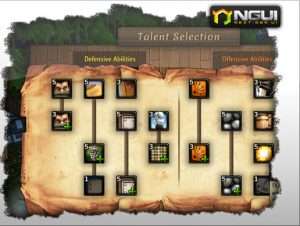
NGUI is a powerful UI system and event notification framework. NGUI is a powerful UI system and event notification framework for Unity (both Pro and Free) written in C# that closely follows the KISS principle.
For more details about this asset: Click Here
This is a paid asset, but now you can download NGUI: Next-Gen UI for FREE, Please keep in mind this package is provided only for learning purposes or to be able to test before buying the product, NOT FOR COMMERCIAL PURPOSES.
NGUI Next-Gen UI v2025.07.01 (02 Jul 2025) (Latest version)
NGUI Next-Gen UI v2023.08.01
NGUI Next-Gen UI v2021.11.30
(Tested with Unity version 2020.3.23f1)
NGUI Next-Gen UI v2020.2.2
“Sharing is caring”
NGUI is a very powerful UI system and event notification framework.
Overview
NGUI is a powerful UI system and event notification framework for Unity (both Pro and Free) written in C# that closely follows the KISS principle. It features clean code and simple, minimalistic approach to everything. Many behaviour classes are kept under 200 lines of code. For a programmer this means a much easier time when it comes to working with the kit — from extending its functionality to tweaking the existing one. For everyone else this means better performance, less frustration, and more fun.
Features
Full Inspector integration
No need to hit Play to see the results
What you see in the Scene view is what you get in the Game view (fully WYSIWYG)
Component-based, modular nature: attach the behaviours you want to make your widgets do what you want without having to code.
Full support for iOS/Android, Blackberry, Win8, WP8, Flash
Flexible event system
Make complex UIs that take only 1 draw call
Create your atlases right in the editor, update/modify them at will, or import an atlas from the Texture Packer.
Support for lighting, normal mapping, refraction, and more — unleash your creativity!
Support for clipped panels with hard or soft edges.
Support for a flexible size table, letting your widgets automatically push others out of the way.
Support for eastern languages with IME input
Built-in Localization system
Built-in keyboard and controller support
An assortment of useful scripts to help you — from changing a button color to dragging an object
Simple built-in tweening system.
Clean, short, simple and extensively optimized C# code
No DLLs or external resources
Workflow
Working with NGUI is just like working with Unity. Drag & drop ready-made controls such as button, checkbox, scroll bar and many others right into the Scene View or make your own using a Lego-like approach — want the button to scale as you hover over it? Attach the UIButtonScale component. Attach the scripts you need and nothing else. Save controls as prefabs and re-use them anywhere. It’s the Unity-like approach to UI creation.
Video Tutorials
Found here
Free Version
NGUI 2.7.0, the last of NGUI 2 cycle is now free and can be downloaded here. It’s dated September 2013, and comes in full source code form and without any kind of DRM. It’s feature-limited and not nearly as streamlined as the current NGUI 3-based releases, and doesn’t come with support — but if you can’t afford NGUI 3 or just want to try it, you’re welcome to grab it.
Just note that in order to use it for professional purposes you must fall under the same conditions as Unity Free: “free version may not be licensed by a commercial entity with annual gross revenues (based on fiscal year) in excess of US$100,000, or by an educational, non-profit or government entity with an annual budget of over US$100,000.”
As a footnote, when publishing NGUI extensions on the Asset Store, it’s best to not include the NGUI code at all. Asset Store overlords are quite used to the “requires NGUI to run” condition. 🙂
Licenses
NGUI Standard single-seat license can be picked up for $95 through the Asset Store, as well as directly via PayPal.Comes with all tutorials and examples.
You can rationalize the purchase like this: will NGUI save you or your developers at least 2 hours of work? If yes, then you have nothing to lose by grabbing a copy.
NGUI Professional single-seat license can be obtained for $200 that comes with a personal access to NGUI’s GIT repository which grants you access to all the latest features and updates weeks before everyone else, in addition to revision history dating back to version 1.0.Comes with all tutorials and examples.
Gives access to the latest beta releases.
Gives access to all revision history, changesets, and releases dating all the way back to 1.0.
Gives an easy way of merging in your own custom changes and modifications.
Gives you the ability to submit your own changes.
It’s generally recommended to have one Professional license for your lead developer, and the rest being Standard licenses.
If your company requires an explicit invoice, you will need a Professional license.
NGUI Site License is a license covering unlimited developers in a single studio. It comes with Professional level access and is priced at $2000 — or the equivalent of 1 Professional + 19 Standard licenses.Comes with all tutorials and examples.
Gives all benefits of the Standard + Professional licenses.
Covers unlimited developers from a single studio.
Additional Details
You can upgrade your Standard to Professional level at any time by paying the difference between the license fees.
If your company requires an explicit invoice, you will need the Professional license.
If your company needs to put a wall of lawyers at ease before you can use a third-party tool for your development, please get in touch via the contact form.
If choosing PayPal, the automated system will immediately create your account and send the download instructions to your email address.
Once you download NGUI, you are no longer eligible for any kind of refunds, as it comes in full source code form. Software delivered in source code form cannot be simply “taken back”. It’s not like returning a shower curtain back to WalMart. Please think before you license NGUI, as there is no going back.