Dev Asset Collection

All Things That You Need to Build A Video Game
Menu
  • 2D
    • Characters
    • Environments
    • Fonts
    • GUI
    • Textures & Materials
  • 3D
    • Animations
    • Characters
    • Environments
    • GUI
    • Props
    • Vegetation
    • Vehicles
  • Add-Ons
    • Machine Learning
    • Services
  • Audio
    • Ambient
    • Music
    • Sound FX
  • Essentials
    • Tutorial Projects
  • Templates
    • Packs
    • Systems
    • Tutorials
  • Tools
    • AI
    • Animation
    • Audio
    • Camera
    • Game Toolkits
    • GUI
    • Input Management
    • Integration
    • Level Design
    • Localization
    • Modeling
    • Network
    • Painting
    • Particles & Effects
    • Physics
    • Sprite Management
    • Terrain
    • Utilities
    • Version Control
    • Video
    • Visual Scripting
  • VFX
    • Particles
    • Shaders
Home
VFX
Shaders
Burning Shader – Dev Community

Burning Shader – Dev Community

Tsunami 29 November, 2023
Sending
User Rating 5 (1 vote)

For more detail this asset from the Unity Asset Store: Click Here

Burning Shader v1.3.3 (Latest version)

Faster Download Download Now

Burning Shader v1.2

Download Now

“Sharing is caring”

NEW! Added HDRP 10.0 shaders

NEW! Added HDRP shaders

NEW! Added non-global shader variations

NEW! Added URP shaders

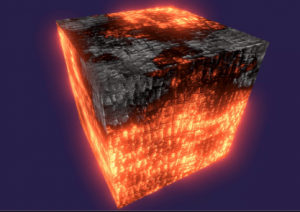
Burning Shader is a shader that will help you in creating your game.<br>
The asset contains 20 variations of the main shader to optimize and select the visual display depending on your tasks and needs.

Supported Platforms:
All platforms

Asset contain:
– 20 variations of shader (mettalic or specular color, calculations in local or world space, with or without detail albedo, triplanar mapping and their variations)
– particle systems of burning (fire, embers, smoke, distortion)
– script for burning control
– models and textures (were taken from a free asset Viking Village by UNITY TECHNOLOGIES from Unity Asset Store for demonstration purpose)

To control burning process use “Shader.SetGlobalFloat(“StartBurning”, FLOAT)” and “Shader.SetGlobalFloat(“StopBurning”, FLOAT)”, where FLOAT is a number from 0 to 1 (off and on respectively).
If you want to change the burning of each object separately, then use non-global shaders.

Feedback (suggestions, questions, reports or errors):
[email protected]


Prev Article
Next Article

Related Articles

Color Correction Pro – Dev Community
Tsunami 23 July, 2021

Color Correction Pro – Dev Community

LIQUIDUM PRO – Dev Community
Tsunami 20 July, 2020

LIQUIDUM PRO – Dev Community

Stylized Water Toon Shader – Mobile Ready – Dev Community
Tsunami 20 December, 2023

Stylized Water Toon Shader – Mobile Ready – Dev Community

Toony Colors Pro 2 – Dev Community
Tsunami 12 May, 2026

Toony Colors Pro 2 – Dev Community

Leave a Reply Cancel Reply

Recent Posts

  • Studio33 Interactive [Soccer 8] – Free Download
  • PressE PRO – A Complete Interaction System for Unity – Free Download
  • CosmoKit: Stylized Low Poly Planets – Free Download
  • RPG Tiny Hero Wave Polyart – Free Download
  • Skeleton Humanoid – Free Download

Dev Asset Collection

All Things That You Need to Build A Video Game
Copyright © 2026 Dev Asset Collection
Privacy Policy | Disclaimer | DMCA