This is a paid asset, but now you can download Mesh pencil 3d mesh generator from 2d draw data for FREE, Please keep in mind this package is provided only for learning purposes or to be able to test before buying the product, NOT FOR COMMERCIAL PURPOSES.
For more details about this asset: Click Here
Mesh pencil 3d mesh generator from 2d draw data v1.3
“Sharing is caring”
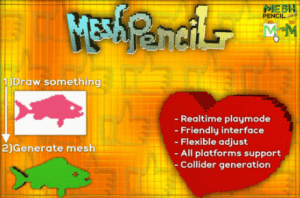
Setup a canvas and draw something by touch or mouse. Drawn figure will be converted from 2d to 3d and spawn to need place
Mesh pencil is an asset for unity which converts your 2D input by drawing to 3D mesh.
The asset works in realtime play mode and not able to use it in the editor scene.
Is not require special libraries and packages for installing.
Possibilities
Configure draw canvas area
Easy setup a pixel canvas with custom sizes by configuring pixels quantity in a row and columns amount.
Control a single pixel dimension, sprite and colors for your style and design requirements
Common input commands
The input controller has base functions for painting, erasing, brush size control.
You could customize the cursor draw/erase mode sprites.
Supports input from the mouse for pc and by touches + UI elements from mobile devices.
Creating the collider
Rigid body component is not supports non-convex mesh collider.
For physics features , the asset able to create a dynamic “complex box collider”.
Save/Load
There are methods for save/load drawn data into a file which will be placed in the persistent data folder.
It helps load lightweight data files in realtime.
Especially useful for multiplayer mechanics
Supported platforms
-The asset supports most popular platforms :
-PC (WINDOWS, MAC, LINUX)
-MOBILE(ANDROID, IOS)
-CONSOLE (XBOX, PS4)
-WEB
-VR/AR
Update 1.1
– Pivot definer component
Creates and set pivot on drawn mesh borders
– Render camera support
Pixel canvas automatically has same layer like the MeshPencil
– Public getters/setters for main controller
– New public events in MeshPencilController
There are tutrial videos how to use asset :
Demonstration video
User manual video
How to use pivots
Create a drawing mechanic for simple game
Setup render camera for Mesh Pencil Canvas