This is a paid asset, but now you can download Mesh Cutter for FREE, Please keep in mind this package is provided only for learning purposes or to be able to test before buying the product, NOT FOR COMMERCIAL PURPOSES.
For more details about this asset: Click Here
Mesh Cutter v1.6 (Latest version)
“Sharing is caring”
Cut, Copy & Paste Parts of Meshes and Auto Save to Prefabs
—————————————————–
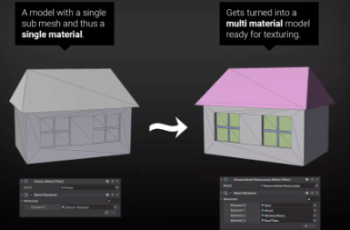
Often you will find that you have a large mesh made up of many small parts that have been joined together. Some of the parts you may want to keep but often there are parts you would like to move or remove altogether. With Mesh Cutter you can now quickly select different parts of the mesh and cut, copy, paste or remove them. The program will preserve the materials and submeshes of the large mesh and create a new mesh and prefab whenever you cut or copy a part, transferring the materials and submeshes to the new object. You can also re-center and adjust the pivot point for the new object to use it elsewhere in your projects.
Please Note: This version of Mesh Cutter works with Unity versions 5.5.0 to 2019.2.0. The program is not recommended for versions of Unity after this due to changes made within the Unity editor.
New: Full support for both static and skinned meshes.
Introduction Video
Features:
– Quick Mouse Selection
– Works with skinned meshes
– Quicker Marquee Selection
– Create New Meshes
– Cut Meshes
– Create Submeshes
– Auto Prefab Creation
– Delete Selected Triangles
– Removes Unused Vertices
– Removes Unused Materials
– Locks Object While Editing
– Select All Triangles
– Clear All Triangles
– Invert Triangle Selection
– Set & Adjust Pivot Points
– Save Mesh/Prefab File Paths
– Full Undo/Redo
– Custom Colors
– Hotkey Selection
– Unity 5 Ready
Videos | Website | Tutorial | Contact
*****
Mesh Cutter is also included in the Mesh Maker collection Available Here.
Save by buying all 16 modeling & editing tools in the one bundle.
*****