Dev Asset Collection

All Things That You Need to Build A Video Game
Menu
  • 2D
    • Characters
    • Environments
    • Fonts
    • GUI
    • Textures & Materials
  • 3D
    • Animations
    • Characters
    • Environments
    • GUI
    • Props
    • Vegetation
    • Vehicles
  • Add-Ons
    • Machine Learning
    • Services
  • Audio
    • Ambient
    • Music
    • Sound FX
  • Essentials
    • Tutorial Projects
  • Templates
    • Packs
    • Systems
    • Tutorials
  • Tools
    • AI
    • Animation
    • Audio
    • Camera
    • Game Toolkits
    • GUI
    • Input Management
    • Integration
    • Level Design
    • Localization
    • Modeling
    • Network
    • Painting
    • Particles & Effects
    • Physics
    • Sprite Management
    • Terrain
    • Utilities
    • Version Control
    • Video
    • Visual Scripting
  • VFX
    • Particles
    • Shaders
Home
Tools
Camera
Mobile Touch Camera – Dev Community

Mobile Touch Camera – Dev Community

Tsunami 16 November, 2024
Sending
User Rating 5 (1 vote)

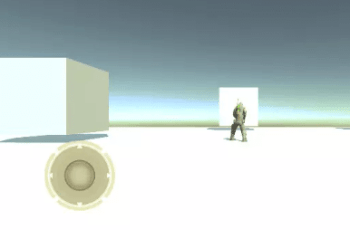
Mobile Touch Camera is a powerful Camera & Input Handling tool that allows you to create a smooth and natural Touch-Input camera with integrated Item Picking for best usability.

For more detail this asset from the Unity Asset Store: Click Here

Mobile Touch Camera v2.8 (Latest version)

VIP Only

Mobile Touch Camera v2.4

Download Now

“Sharing is caring”

Mobile Touch Camera is a powerful Camera & Input Handling tool that allows you to create a smooth and natural Touch-Input camera with integrated Item Picking for best usability. The asset is best suited (but not limited) to tower defense, strategy or adventure type of games for mobile devices.

* Pixel Perfect Scroll & Pinch.
* Camera Movement and Item Picking integrated for best usability.
* Demo scenes for top-down, 2d sidescroll, and isometric scenarios.
* Supports perspective and orthographic cameras.
* Custom inspectors to help you tune the asset more efficiently.
* Seamless transition between pinching and scrolling. E.g. Start dragging with 1 finger, add second finger to pinch/zoom, release finger to go back to scrolling.
* Swipe and release quickly for smooth auto-scrolling.
* Mouse Emulation for convenient development on PC.
* Camera rotation & tilt gestures.
* Full C# source code.
 

Prev Article
Next Article

Related Articles

Critter 3D Pixel Camera – Dev Community
Tsunami 20 June, 2025

Critter 3D Pixel Camera – Dev Community

Photo Session – Dev Community
Tsunami 25 April, 2026

Photo Session – Dev Community

Ultimate Replay 3.0 – Dev Community
Tsunami 11 March, 2026

Ultimate Replay 3.0 – Dev Community

MMO Camera – Dev Community
Tsunami 2 October, 2022

MMO Camera – Dev Community

Leave a Reply Cancel Reply

Recent Posts

  • Tower Defense Game (URP) – Free Download
  • Mesh God 4000 – Mesh Extractor, Pivot & Shading Tools – Free Download
  • Picture Coloring – Color By Numbers Game – Free Download
  • Pure Nature 2 : Swamp – Free Download
  • 2D Top Down RPG Sandbox Project – Free Download

Dev Asset Collection

All Things That You Need to Build A Video Game
Copyright © 2026 Dev Asset Collection
Privacy Policy | Disclaimer | DMCA