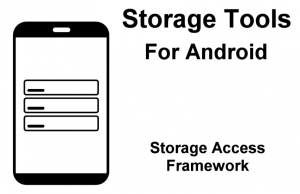
Storage Tools For Android provides access to native storage and utility functions on Android phones and tablets.
For more details about this asset from the Unity Asset Store, please visit: Click Here
This is a paid asset, but now you can download the “Storage Tools For Android” for FREE. Please note that this package is provided solely for learning purposes or to test the product before purchase, and not for commercial use.
Storage Tools For Android v1.0.0
“If possible, please buy the package to support the developer”
Description
Native Android storage and utility plugin.
It uses Android’s Storage Access Framework (SAF), which grants read and write access to files and folders that are selected by the end user. Selecting a folder also grants access to its descendants.
Any function that affects the path of an item automatically returns the new path.
Setup is quick and simple. Example code is included for all functions, as well as a demo scene that shows basic usage.
Supports Android API level 26 and above, and Unity 2021 and above.
Download the documentation
Pickers
OpenFilePicker
OpenMultiFilePicker
OpenFolderPicker
File and folder operations
CreateFile
DeleteFile
CreateFolder
DeleteFolder
CopyFile
CopyFolder
MoveFile
MoveFolder
RenameFile
RenameFolder
WriteBytesToFile
ReadBytesFromFile
File and folder information
CheckExists
IsFolder
GetFolderContents
GetFileOrFolderName
GetRawPath
HasPermission
GetParentFolder
GetFileSizeInBytes
GetCreationTime
GetLastModifiedTime
Storage information
GetTotalStorageInBytes
GetUsedStorageInBytes
GetAvailableStorageInBytes
GetTotalRamInBytes
GetUsedRamInBytes
GetAvailableRamInBytes
GetLowRamThresholdInBytes
IsLowRamState
System information
GetCurrentDateTime
GetOsVersionCode
GetLocale
GetDeviceModel
GetScreenResolution
IsTablet
IsDeveloperModeEnabled
GetBatteryLevelPercent
IsBatteryCharging
GetBatteryTemperatureInCelsius
GetBatteryHealth
Misc utilities
GetTextFromClipboard
CopyTextToClipboard
SendToastNotification
OpenAppSettings
OpenStoreListing
OpenOtherAppStoreListing