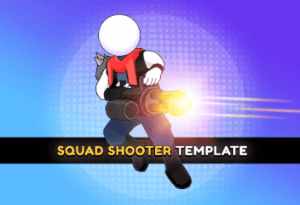
This fully customizable shooter template features AI enemies, different weapons, worlds, and characters. The perfect starting point for your next hit!
For more details this asset from the Unity Asset Store: Click Here
This is a paid asset, but now you can download the “Squad Shooter | Template + Editor” for FREE. Please keep in mind that this package is provided only for learning purposes or to test before buying the product, NOT FOR COMMERCIAL PURPOSES.
Squad Shooter | Template + Editor v1.4.3 (27 May 2025) (Latest version)
Squad Shooter | Template + Editor v1.2.8
Squad Shooter | Template + Editor v1.0.3
“If possible, please buy the package to support the developer”
Meet the NEW complete game from Watermelon Games.
This fully customizable shooter template features AI enemies, different weapons, worlds, and characters. The perfect starting point for your next hit!
OUR ADVANTAGES
??? Discord support
?️ Detailed documentation
? Video documentation
?️ Easy-to-use tools
? Customization Guides
✨ Clean structure and code
TEMPLATE INCLUDES
?? Enemies system + customization
? Weapon system + customization
??♂️ Character system + customization
?️ Level editor:
? Comfortable tools
? Worlds support
? Detailed documentation
? Monetization:
? Admob
? Unity Ads
? LevelPlay (ironSource)
? IAP
? Android, iOS, Desktop, and WebGL support
Want to play it first? Check WebGL Demo or Android Demo
Project Data contains 3 major folders:
Content – contains settings files and databases in the form of scriptable objects.
Game – contains game assets stored in folders by type.
Watermelon Core – is a collection of modules and tools made by Watermelon Games.
Scenes
The project has 3 scenes:
Init – a small scene that is loaded first and used for initialization of services.
Game – main scene of the project, entire gameplay is happening here.
Level Editor – editor-only scene, used by Level Editor to create levels.
Game scene
When game is not running the game scene contains:
Camera – includes 2 objects Main Camera (camera itself) and Virtual Cameras (virtual camera presets used in different occasions)
Scripts Holder – an object that contains a majority of scripts that control different aspects of the game.
Light – holder that contains Directional light.
Canvas – the main canvas that contains all UI. It has a UI Controller script and contains all UI pages as children.
Pedestal – a pedestal where the player is spawned during a “Menu” stage of the game.
When the game is running Levels are dynamically loaded into the Game scene room by room. To preview and configure levels use Level Editor.
Worlds group levels of the game. The world defines how the environment and obstacles look (Desert, Mines, etc). This data is stored in World_XX assets.
World assets are accessible through the Level Editor. Open the Level Editor window using Tools → Level Editor. Level Editor works with a single world at the time. You can see the currently selected world here.
Use buttons with triangles to scroll through the worlds. Between buttons, there is a link to World_XX assets.
Down below you will see 2 tabs related to the selected world:
Levels Creation – in this tab you can see the levels list, as well as add, modify, or remove levels. More info about level creation process is here.
World Settings – different settings related to the selected world. Let’s dive deeper into this tab.
How to add a new world
Open WorldType.cs located in Game/Scripts/Level System using any comfortable text editor.
Add a new type as shown in the example below. Note, make sure to have a “=” sign, increased number (to 3) and comma.
Find the folder Content/Data/Level System/Worlds. It contains world data objects.
Select any existing World_XX object and copy it using Ctrl + D (Cmd + D). Rename it.
While a new object is selected, in the Inspector window find a field called World Type and change it to the value created in Step 2.
Select Levels Database located at Content/Data/Level System, click “+” and assign World Data object created at the previous step.
Basic configuration complete. Now the world can be seen and used in the level editor.
By default, the new world will contain levels from the world you’ve duplicated. You can keep them, modify or simply delete them using the little “-” button at the bottom of the list.