This is a paid asset, but now you can download MMO Camera for FREE, Please keep in mind this package is provided only for learning purposes or to be able to test before buying the product, NOT FOR COMMERCIAL PURPOSES.
For more details about this asset: Click Here
MMO Camera v1.0.1
“Sharing is caring”
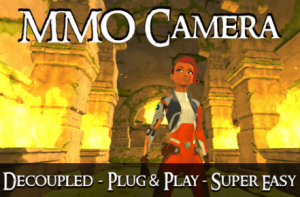
The MMO Camera is designed to give the same camera feel you find in the world’s most popular MMOs. It’s easy to implement, packed with features, and abstracted from character controllers and input systems, so you have complete control of those systems without having to refactor the camera.
Check out the features video.
Try out the WebGL demo.
MMO Camera Features:
Traditional Mouselook
Right-button mouselook and left-button orbit with an option to pivot the target when the camera is at a 90-degree offset.
Smooth Zoom
The camera zooms smoothly in and out, completely configurable and framerate independent.
Ground-look and Wall-look
Lets the player look up at the ceiling or the sky when hitting the ground and enters into groundlook against walls when level with the target.
Ground-zoom and Ground-fall
While in ground-look the camera rolls in along the terrain when zooming and if you back off a platform or cliff it sinks down but won’t get stuck or blocked by the edge.
Object Occlusion
The camera moves around occluding objects with a smooth zoom recovery when no longer blocked. Based on tags and layers so you have total control of what occludes and what doesn’t.
Occlusion Fade
Lets you set objects to fade in and out when they block the camera instead of occluding. Based on Tags and Layers, just like occlusion, so you have control of what objects fade.
First-person Fade
When transitioning into and out of first-person, your target can fade with a render queue swapping feature, so it works with overlapping transparent shaders.
Framerate Independent
You can bang the camera against the ground as hard as you want and it will enter groundlook at the right spot every time.
Decoupled
The MMO Camera is abstracted from input and character controller systems. Use your own character controller or another one from the Unity Asset Store, and just implement a simple interface to integrate the MMO Camera. An example input controller and a basic character controller are included to get you started.
Super Easy to Implement
Just add the MMO Camera component to a camera, drag the target transform into the Target property, and it just works.