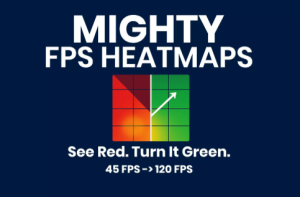
Mighty FPS Heatmap adds live 2-D/3-D heatmaps and FPS gizmos to the Unity Editor (via free Mighty DevOps) so you instantly spot frame-drop hotspots, debug faster, and prove your optimisations.
For more details about this asset: Click Here
This is a paid asset, but now you can download the “MIGHTY FPS HEATMAPS” for FREE. Please note that this package is provided solely for learning purposes or to test the product before purchase, and not for commercial use.
MIGHTY FPS HEATMAPS v1.1.7 (20 Apr 2026) (Latest version)
“If possible, please buy the package to support the developer”
Description
Turn Red Zones Green in Minutes
Unity 6-ready • URP & HDRP • Add-on for the free Mighty Maps core
Why it’s in every optimisation pass
• Instant Hotspots – three views (Origin, Projection, Object) light up slow areas.
• Target-FPS Slider – dial 30 / 60 / 120 fps; colours shift live as you tune.
• Smart Filters – isolate by time-range, fps range, poly count, or camera-view.
• Follow-Sceneview Mode – visualize from the same angle the read was taken.
• Zero Setup – import, press Activate, and start fixing. Built in Getting Started guide.
Roadmap
• Memory Maps – Next up we’ll overlay memory usage as a heatmap
“Scrolling the Profiler felt like archaeology—Heatmaps showed the culprit in under a minute.” — ★★★★★ Simulated Review (we just launched!)
Typical win
Boss arena: 18 fps → 120 fps in a single afternoon.
Stop hunting; start shipping smooth frames.
Works seamlessly with the MIGHTY ecosystem
Need the full optimisation flow? Grab MIGHTY TRACKING (79), MIGHTY FPS HEATMAPS ($79) and MIGHTY PORTAL (29) in the MIGHTY PERFORMANCE PACK (127) and save 60.
Risk-free Satisfaction Guaranteed
Use Mighty Portal in your project for seven days—request a refund and we approve it, even after download.
Stop guessing. Paint the problem. Fix the frame rate.
Technical details
Pure C# source, no DLLs – organised under assembly definitions for easy exclusion from builds
Editor-only: adds 0 KB and 0 ms to player builds (all work happens inside the Editor)
Compatible with Unity 2022.3 LTS, 2023.2 — Built-in, URP, HDRP
Requires Mighty DevOps ≥ 1.5.0 (free core)
Profiling Features (v 1.0.0)
• Origin Heatmap – stamps FPS where the camera stood
• Projection Heatmap – projects FPS forward along the view cone
• Object Heatmap – ray-casts visible meshes, pins FPS at exact hit points
• Live FPS Spheres – 3-D gizmos hover over hotspots inside the Scene view
• Timeline Scrubber – isolate any slice of a play-through, watch heatmap animate
• Disk-based session logs – save, reload and compare without re-profiling
![Global Roads & Traffic [Pro] – Free Download](https://unityassetcollection.com/wp-content/uploads/2025/05/Global-Roads-Traffic-Pro-350x230.png "Global Roads & Traffic [Pro] – Free Download")