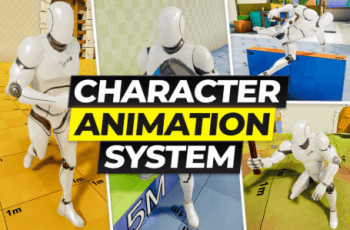
You can capture 3D animations and turn them into 2D sprites. You will be able to easily generate character sprites for your 2D game.
For more details about this asset: Click Here
This is a paid asset, but now you can download the “Animation to Sprite Sheet – Export animations into 2D sprite sheets easily” for FREE. Please note that this package is provided solely for learning purposes or to test the product before purchase, and not for commercial use.
Animation to Sprite Sheet – Export animations into 2D sprite sheets easily v1.0
“Sharing is caring”
Description
Turn any 3D animation into crisp 2D sprites—at your chosen angles and FPS.
This asset captures your 3D model’s animation from the angle(s) you specify, samples frames at your selected FPS, and exports them as PNG images with an optional combined sprite sheet. Perfect for building sprite assets for 2D games.
How to use
1.Import the package.
2.Open Zuppy > AnimationToSpriteSheet > _ScannerAnimation.
3.Under Target, add the character you want to convert as a child object.
4.Press Play, then click Generate.
Configure the animation clip, angles, resolution, etc. via the SpriteSheetGenerator component in the Hierarchy.
That’s it—go turn your ideas into sprites! 🚀
——————–
【What is the difference between the _Scanner scene and the _ScannerAnimation scene?】
The _Scanner scene is primarily for capturing characters in an Idle state. Since it takes pictures from 360 degrees, it’s useful for creating sprites for static characters.
But the one you’ll mainly use is probably the _ScannerAnimation scene.
This one only captures from a specified angle, but it takes pictures at the set FPS interval. You can create sprites for various actions like running, walking, jumping, and falling.