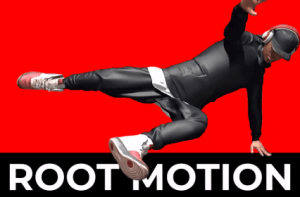
iMove is a root-motion based character controller packed with features to bring your characters to life with unparalleled realism and smoothness.
For more details about this asset: Click Here
This is a paid asset, but now you can download the “iMove – Root Motion Controller (Third / First Person)” for FREE. Please note that this package is provided solely for learning purposes or to test the product before purchase, and not for commercial use.
iMove – Root Motion Controller (Third / First Person) v3.0.0 (15 Oct 2025) (Latest version)
iMove – Root Motion Controller (Third / First Person) v2.2.1 (02 Sep 2025)
iMove – Root Motion Controller (Third / First Person) v2.1.1 (17 Jul 2025)
“Sharing is caring”
Description
Enhance your Unity projects with iMove, an advanced character controller asset designed for realistic, smooth, and dynamic character movement using root motion. With seamless integration and professional quality, iMove provides everything you need to create fluid and responsive characters. Comprehensive documentation, tutorial videos, and direct Discord support ensure you have all the resources to get started quickly and effectively.
Lifetime Updates!
We believe in lifetime updates. That’s right, we are NEVER going to cut development for iMove in order to make iMove 2, 3, etc… If iMove gets revamped, then you will get the updates!
___________________________________________
Features:
Animation Pack Requirement: Requires an animation pack to function. We recommend Movement Animset Pro. See documentation for other supported animation packs.
Core Component: Root motion-based character controller ensures natural, lifelike movements while minimizing foot slide.
Directional Movement: Enables 8-way directional walking/running/crouching, turn in place, starts/stops, direction changes, falling, landing, and correct foot forward detection.
Dynamic Movement: Includes slide angle detection and dynamic leaning to add realism to movements.
Custom Animations / Actions: Quickly add your own functionality using iMoves custom animation / actions. Simply add your animation and assign it to an input or a trigger. Because it’s root motion, all the movement is taken care of!
Input Bindings: Assign inputs to iMove actions or custom actions in just a few clicks.
Easy Trigger System: Assign events to be triggered when certain iMove criteria are met. You can do this on the iMove component or using the trigger component to trigger from other objects.
Camera Control: Includes a versatile camera controller with variable zooming positions from 3rd person, optional 1st person, or even shoulder cam views.
Interaction System: Features a Universal Animation Interaction System with pre-configured interactions like sitting and character swapping.
Default Unity Components: Uses Unity’s default character controller component and Mechanim animator controller which makes additional custom functionality easy.
2.5D Compatible: Compatible with Unity’s 2.5D constraint system.
NPC Control: NPCs benefit from the waypoint controller for AI NavMesh pathfinding.
Modifiers: Supports jump, turn, and many more modifiers for more snappy animations and user customization.
Input Smoothing: Ensures smooth transitions for player inputs.
Alternate Landings: Provides alternate landing animations for more realistic movements.
Events: Unity Events for easy event subscription and integration.
Networking Compatibility: Compatible with Unity’s Networking for Game Objects.
One-Click Features:
iMove Installation: One-click install and setup for iMove.
Integrations: One-click integrations for iStep, Strider, Motion Warping, and Ragdoll Animator 2.
Scriptable Objects: Utilizes Scriptable Objects for managing characters, animations, transitions, and player sound profiles.
Integrations:
iStep This handles foot grounding and character leaning
Strider This makes the players walking and running look more realistic
Ragdoll Animator 2 This handles ragdolling your character on specific collisions
Motion Warping This handle the animation warping for parkour and some interactions
Technical details
Additional Features:
Player sound manager
Player sound profiles
Floating object component
Moving platform component
Custom network animator for syncing the entire animator accross networks.