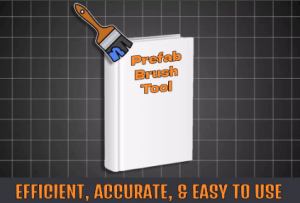
Prefab Placement Pro: Fast, flexible prefab placement for Unity. Snap to grid, randomize rotation, adjust size, and align to surfaces ideal for efficient level design and rapid prototyping.
For more details about this asset: Click Here
This is a paid asset, but now you can download the “Prefab World Builder – Easy Object Placement Tool & Level Designer” for FREE. Please note that this package is provided solely for learning purposes or to test the product before purchase, and not for commercial use.
Prefab World Builder- Easy Object Placement Tool & Level Designer v1.0 (09 Dec 2024) (Latest version)
“Sharing is caring”
Description
Prefab Placement Pro – Prefab Brush & Level Designer: Quickly and easily place, align, and scale prefabs in Unity with precision. Features include grid snapping, random rotation, size variation, and surface alignment perfect for efficient, creative level design.
Supported Render Pipelines:
✅ Standard/Built-In
✅ Universal
✅ Hdrp
For a list of features, see Technical Details
Technical details
????️ Quick Object Placement: Effortlessly place prefabs and switch between them by pressing the assigned number key.
???? Delete with Ease: Hold Shift and click to delete any placed object instantly.
???? Randomize Prefabs: Activate “Randomize Prefab” to cycle through different objects in your list with each click for more dynamic scenes.
???? Refresh Placement Preview: Press Shift + Right-Click to instantly update the placement preview, offering new placement options.
???? Adjust Spread and Density: Control the spread and placement amount to place multiple objects over a wider area in a single click.
???? Randomize Size: Enable “Randomize Size” to vary object sizes within a customizable range for natural-looking variation.
???? Preview Modes: Choose from:
Circle: Displays a spread area for broader placements.
Prefab: Shows the selected object in the preview.
???? Rotate with R: Press R to rotate objects directly in the Scene view, ensuring the perfect orientation.
???? Align with Surface Normals: Enable “Align With Normal” to automatically orient objects based on surface angles for a realistic touch.
???? Prevent Mesh Clipping: Avoid overlapping with precise placement options to keep your scene clean and optimized.
???? Snap to Grid: Align objects to the grid for structured, symmetrical layouts.
???? Place on Surface: Automatically position objects on any surface for seamless integration.
♻️ Randomize Rotation: Apply randomized rotation for unique object orientations.
????️ Customizable Prefab Size: Adjust prefab size quickly to fit your design vision.
???? Physics Object Placement: Enable “Rigidbody Place” to easily position objects with physics properties, ensuring realistic interactions with the scene.