Dev Asset Collection

All Things That You Need to Build A Video Game
Menu
  • 2D
    • Characters
    • Environments
    • Fonts
    • GUI
    • Textures & Materials
  • 3D
    • Animations
    • Characters
    • Environments
    • GUI
    • Props
    • Vegetation
    • Vehicles
  • Add-Ons
    • Machine Learning
    • Services
  • Audio
    • Ambient
    • Music
    • Sound FX
  • Essentials
    • Tutorial Projects
  • Templates
    • Packs
    • Systems
    • Tutorials
  • Tools
    • AI
    • Animation
    • Audio
    • Camera
    • Game Toolkits
    • GUI
    • Input Management
    • Integration
    • Level Design
    • Localization
    • Modeling
    • Network
    • Painting
    • Particles & Effects
    • Physics
    • Sprite Management
    • Terrain
    • Utilities
    • Version Control
    • Video
    • Visual Scripting
  • VFX
    • Particles
    • Shaders
Home
Tools
Utilities
ReUniter – Better Search For Unity – Free Download

ReUniter – Better Search For Unity – Free Download

Tsunami 5 August, 2020
Sending
User Rating 0 (0 votes)

For more details about this asset: Click Here

This is a paid asset, but now you can download ReUniter – Better Search For Unity for FREE, Please keep in mind this package is provided only for learning purposes or to be able to test before buying the product, NOT FOR COMMERCIAL PURPOSES.

ReUniter – Better Search For Unity v1.10

Download Now

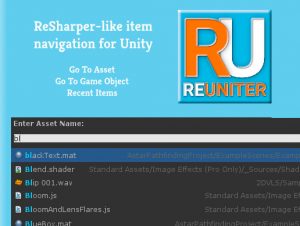
ReUniter is a better search asset for Unity. Works with both Unity Free and Pro. Similar to Launchy, Spotlight, Alfred, Quicksilver. Inspired by ReSharper.

Endorsed by the makers of 2D Toolkit and DOTween (see reviews below).

Features:
– Navigate to Game Object (Ctrl-G or – Navigate to Asset (Ctrl-T or Command-T) – search as you type through assets in the Project window
– Recent Items (Ctrl-E or Command-E) – quick navigation to recently selected items (regardless of whether they were selected via ReUniter or not – this keeps track of the Unity current selection as it appears in the Inspector window)
– Typed search: use “:material”, “:scene”, “:texture” or anything shorter (“:ma”, “:sce”, etc)
– Execute selection – quickly open up scripts or change scenes
– Fuzzy ranked search – begins with, contains, wildcard searches, CamelCase search
– Recent items also works for standard unity windows (like the ones in Edit-Project Settings)

Some example searches:
– “:ma blue” finds all materials with blue in their name
– “:sha ble ver” finds all shaders with both “ble” and “ver” in their names
– “:tex red” finds all textures with “red” in their name
– “:s” finds all shaders, scripts and scenes
– “:boxcoll” or “:renderer” will find all game objects in the hierarchy that have a BoxCollider or Renderer component

Full source code included.


Prev Article
Next Article

Related Articles

Impostor Graph – Free Download
Tsunami 19 January, 2026

Impostor Graph – Free Download

P-VUE (PlayFab Visual Unity Extensions) – Free Download
Tsunami 5 August, 2020

P-VUE (PlayFab Visual Unity Extensions) – Free Download

vHierarchy – Free Download
Tsunami 28 August, 2026

vHierarchy – Free Download

IKARUS: Game View Controller – Free Download
Tsunami 17 May, 2024

IKARUS: Game View Controller – Free Download

Leave a Reply Cancel Reply

Recent Posts

  • SciFi Melee Weapons Pack – Free Download
  • Crawling Ghoul Animations – Free Download
  • Realistic Muzzle Flashes Pack – Free Download
  • Yippy Kawaii 2 – Free Download
  • Double Kit | Two Hypercasual Templates | Tower Defence | Highway Racer – Free Download

Dev Asset Collection

All Things That You Need to Build A Video Game
Copyright © 2026 Dev Asset Collection
Privacy Policy | Disclaimer | DMCA