Dev Asset Collection

All Things That You Need to Build A Video Game
Menu
  • 2D
    • Characters
    • Environments
    • Fonts
    • GUI
    • Textures & Materials
  • 3D
    • Animations
    • Characters
    • Environments
    • GUI
    • Props
    • Vegetation
    • Vehicles
  • Add-Ons
    • Machine Learning
    • Services
  • Audio
    • Ambient
    • Music
    • Sound FX
  • Essentials
    • Tutorial Projects
  • Templates
    • Packs
    • Systems
    • Tutorials
  • Tools
    • AI
    • Animation
    • Audio
    • Camera
    • Game Toolkits
    • GUI
    • Input Management
    • Integration
    • Level Design
    • Localization
    • Modeling
    • Network
    • Painting
    • Particles & Effects
    • Physics
    • Sprite Management
    • Terrain
    • Utilities
    • Version Control
    • Video
    • Visual Scripting
  • VFX
    • Particles
    • Shaders
Home
Tools
Camera
Third Person Camera with Lock On – Dev Community

Third Person Camera with Lock On – Dev Community

Tsunami 13 May, 2025
Sending
User Rating 1 (1 vote)

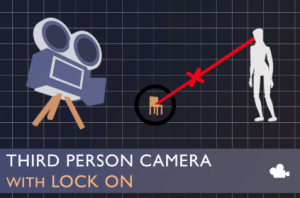
This asset is a camera script with third person perspective capabilities and a dynamically controlled Lock on mode designed for action oriented third person games.

For more details this asset from the Unity Asset Store: Click Here

Third Person Camera with Lock On v1.1.2

VIP Only

“Sharing is caring”

The third person mode is an orbit like camera defined by its distance and angle from its look target.
The lock on mode distance and angle is calculated dynamically using the set values and the positions of the player character and the lock on target in order to keep both subjects in frame when possible.

Read the Documentation
Check out the Publisher Website

Features:
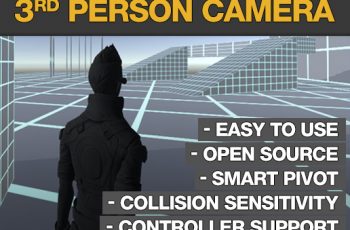
• Supports mouse and controller input
• Switch targets when in lock on
• Drag and drop script
• Camera collision adapts to camera size
• Tons of inspector variables for customization
• C# public property variables
• Adapts to target and player movements
• Option to not jump with the character
• Different algorithms for choosing target
• Fade/make transparent pillars and other small items that don’t collide with the camera
• Limit Up and down movement and optionally reset movement back to an allowed interval
• Auto adapts to window resizing during play
• Can be accessed and controlled by custom scripts
• C# code fully available
• All features documented

Demo scene included.
Prev Article
Next Article

Related Articles

iS.RTS Camera – Dev Community
Tsunami 21 August, 2020

iS.RTS Camera – Dev Community

Transitions Plus – Dev Community
Tsunami 9 April, 2026

Transitions Plus – Dev Community

Camera Path Animator – Animate Cutscenes with Splines – Dev Community
Tsunami 1 August, 2020

Camera Path Animator – Animate Cutscenes with Splines – Dev Community

Orbit Camera Controller – Dev Community
Tsunami 30 April, 2025

Orbit Camera Controller – Dev Community

Leave a Reply Cancel Reply

Recent Posts

  • Tower Defense Game (URP) – Free Download
  • Mesh God 4000 – Mesh Extractor, Pivot & Shading Tools – Free Download
  • Picture Coloring – Color By Numbers Game – Free Download
  • Pure Nature 2 : Swamp – Free Download
  • 2D Top Down RPG Sandbox Project – Free Download

Dev Asset Collection

All Things That You Need to Build A Video Game
Copyright © 2026 Dev Asset Collection
Privacy Policy | Disclaimer | DMCA