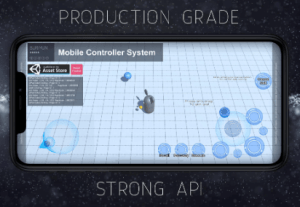
Production Grade. Mobile analog stick and universal button system. Strong scripting API, unrestricted modification, smooth and accurate mobile controller system, mobile have the same behavior as editor.
For more details about this asset: Click Here
This is a paid asset, but now you can download the “Mobile Controller System” for FREE, Please keep in mind this package is provided only for learning purposes or to be able to test before buying the product, NOT FOR COMMERCIAL PURPOSES.
Mobile Controller System v2.2
Mobile Controller System v2.1
“Sharing is caring”
Production Grade.
Mobile analog stick and universal button system.
Optimized for iOS and Android.
Support multiple screen size.
Demo
Youtube : https://www.youtube.com/watch?v=z8dQnq47tao
Android APK : http://bit.ly/mcsapk
Features
– Strong scripting API
– Unrestricted modification
– Smooth and accurate mobile controller system
– Mobile have same behavior as editor
– All textures are easy to replace
– Clean, easy to understand C# code
– Allow unrestricted modification
– Based on Unity UI
Analog Stick Behaviour
– Output direction and amount
– Reposition itself based on initial touch input
– Will not reposition if initial touch input is in close proximity of aiming circle
– Aiming circle will not go out of screen boundary
– Extended from Universal Button
Universal Button Behaviour
– can be activated by
1. Press > Release
2. Press > Drag > Release
– cancel Activation by
Press > Drag > release on cancel button
– All events fired with button ID parameter
Universal Button event list
– onPointerDown
– onBeginDrag
– onDrag
– onPointerUp
– onEndDrag
– onActivateSkill
– onCancelSkill
If you have any questions, feel free to drop us a line at : [email protected]
Satisfaction guaranteed.
Your rating, review and feedback are greatly appreciated.
PLEASE NOTE: This is a base template for a game and is not a full game. Therefore, scripting or additional art will be required if you wish to produce a full game using it.