vTabs 2 enhances your workflow with intuitive tab functionality, unlocking the untapped potential of Unity Editor interface. Instant productivity boost…
For more details about this asset: Click Here
This package is provided solely for evaluation, learning, or testing purposes before purchase and is not permitted for commercial use.
vTabs 2 v2.1.7 (Latest version)
vTabs 2 v2.1.6
vTabs 2 v2.1.5 (22 Dec 2025)
vTabs 2 v2.1.3 (30 Sep 2025)
vTabs 2 v2.1.2
vTabs 2 v2.0.13
“Sharing is caring”
Reasons to upgrade from vTabs 1.0
New features have been added, existing features have been reworked to provide a more native feel and make workflow smoother
Tabs for components – edit important components in dedicated tabs
Tabs for folders with minimal UI – saves visual space, reduces clutter
Tabs for GameObjects are saveable – allows to bookmark GameObjects
Animated scrolling – for easier navigation when many tabs are opened
Icons in tabs – shows the type of object to which a tab belongs
One-column layout support – option to show folder tab content as a tree
Integration with vHierarchy 2 – custom hierarchy icons will will appear in tabs
Integration with vFolders 2 – custom folder icons will appear in tabs
Performance improvements
Instant productivity boost
vTabs 2 enhances your workflow with intuitive tab functionality, unlocking the untapped potential of Unity Editor interface
Create tabs with Drag-and-Drop
– Create folder tabs with minimal UI
– Create inspector tabs for assets, GameObjets or components
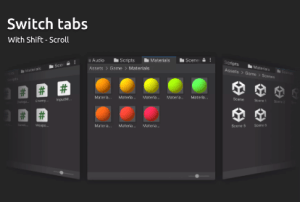
Scroll between tabs
– Scroll while holding Shift to switch tabs
– Scroll while holding Ctrl-Shift to move tabs
– Smooth scroll animation
Save favorite tabs
– Bookmark most used tabs
– Add them quickly with Ctrl-T
Shortcuts like in a web browsers
– Ctrl-T to add tab
– Ctrl-W to close tab
– Ctrl-Shift-T to reopen closed tab
Integration with other Editor Enhancers
– Icons set with vHierarchy 2 will appear in GameObject tabs
– Icons set with vFolders 2 will appear in folder tabs