Dev Asset Collection

All Things That You Need to Build A Video Game
Menu
  • 2D
    • Characters
    • Environments
    • Fonts
    • GUI
    • Textures & Materials
  • 3D
    • Animations
    • Characters
    • Environments
    • GUI
    • Props
    • Vegetation
    • Vehicles
  • Add-Ons
    • Machine Learning
    • Services
  • Audio
    • Ambient
    • Music
    • Sound FX
  • Essentials
    • Tutorial Projects
  • Templates
    • Packs
    • Systems
    • Tutorials
  • Tools
    • AI
    • Animation
    • Audio
    • Camera
    • Game Toolkits
    • GUI
    • Input Management
    • Integration
    • Level Design
    • Localization
    • Modeling
    • Network
    • Painting
    • Particles & Effects
    • Physics
    • Sprite Management
    • Terrain
    • Utilities
    • Version Control
    • Video
    • Visual Scripting
  • VFX
    • Particles
    • Shaders
Home
Tools
Terrain
MicroSplat – Terrain Blending – Dev Community

MicroSplat – Terrain Blending – Dev Community

Tsunami 22 June, 2024
Sending
User Rating 5 (2 votes)

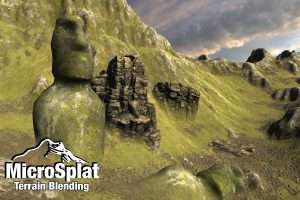
Once enabled, easily blend objects with the terrain. No need to use custom shaders, generate custom meshes, or fiddle with complex settings – just add a component to your object and it will blend with the terrain beneath it.

For more detail this asset from the Unity Asset Store: Click Here

MicroSplat – Terrain Blending v3.9.43 (Latest version)

Faster Download Download Now

MicroSplat – Terrain Blending v3.9.40

Download Now

MicroSplat – Terrain Blending v3.9.22

Download Now

MicroSplat – Terrain Blending v3.9.20

Download Now

MicroSplat – Terrain Blending v3.9.17

Download Now

MicroSplat – Terrain Blending v3.1

Download Now

MicroSplat – Terrain Blending v2.7

Download Now

MicroSplat – Terrain Blending v2.6

Download Now

“Sharing is caring”

The Terrain Blending module for MicroSplat allows you to smoothly blend objects with the terrain

Once enabled, easily blend objects with the terrain. No need to use custom shaders, generate custom meshes, or fiddle with complex settings – just add a component to your object and it will blend with the terrain beneath it.

Control the width and blend contrast of each individual object, using linear of height based blending.

Compatible with most existing shaders and materials. No need to retexture your objects with custom shaders.

When the snow module is installed, you can use the Terrain Blending component to add snow to objects as well

Greatly enhanced with the triplanar model, allowing blending to look great on vertical surfaces
Requires the MicroSplat framework to be installed.


Prev Article
Next Article

Related Articles

Rugged Rocks – StampIT! – Dev Community
Tsunami 9 November, 2024

Rugged Rocks – StampIT! – Dev Community

Volcanos – StampIT! – Dev Community
Tsunami 18 February, 2025

Volcanos – StampIT! – Dev Community

MicroSplat – URP 2022 Support – Dev Community
Tsunami 2 December, 2023

MicroSplat – URP 2022 Support – Dev Community

Colormap Ultra Terrain Shader – Dev Community
Tsunami 1 November, 2020

Colormap Ultra Terrain Shader – Dev Community

Leave a Reply Cancel Reply

Recent Posts

  • EASTLANDS : Stylized Asian Environment – Free Download
  • KAWAII ANIMATIONS Cool Action – Free Download
  • Ancient Ruins 2D Locations – Free Download
  • Biomes and Presets 4 for MicroVerse – Dev Community
  • MIGHTY PERFORMANCE PACK – Dev Community

Dev Asset Collection

All Things That You Need to Build A Video Game
Copyright © 2026 Dev Asset Collection
Privacy Policy | Disclaimer | DMCA