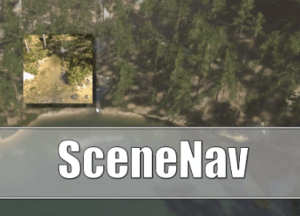
SceneNav is a Unity Editor extension which allows you to quickly navigate in your scenes, especially useful for moving quickly to a desired target location on large terrains.
For more details about this asset: Click Here
This is a paid asset, but now you can download the “SceneNav – Smooth & Fast Scene Navigation” for FREE, Please keep in mind this package is provided only for learning purposes or to be able to test before buying the product, NOT FOR COMMERCIAL PURPOSES.
SceneNav – Smooth & Fast Scene Navigation v2.6.0 (Latest version)
SceneNav – Smooth & Fast Scene Navigation v2.5.0 (15 Dec 2025)
SceneNav – Smooth & Fast Scene Navigation v2.4.0 (20 Aug 2025)
SceneNav – Smooth & Fast Scene Navigation v2.3.0 (21 Apr 2025)
SceneNav – Smooth & Fast Scene Navigation v2.2.0
“Sharing is caring”
SceneNav is a Unity Editor extension which allows you to quickly navigate in your scenes, especially useful for moving quickly to a desired target location on large terrains.
As you can see from my youtube channel I really love to combine all kinds of assets, experimenting with variations, getting quick results. However one thing that’s been bothering me and is very tedious is the navigation in the scene view. I thought about how the movement can become quicker. So the idea of SceneNav came up. And I wanted to share this with everyone, I think you will find this asset quite useful.
Description
SceneNav provides a means to zoom out, point at a desired destination by providing a preview of that destination and to zoom back in to that desired target. As such it’s supposed to enhance your workflow by allowing quick navigation across your scene.
SceneNav is based on actual use cases. Projects which require a fast workflow for scene creation. With emphasis on focusing on the project without being slowed down by Unity’s lack of proper tools for navigation around the scene. Especially scenes with large terrains.
As such I tried to keep the accessibility convenient for you while having the functionality help you speed up your workflow.
SceneNav comes with preconfigured presets. Depending on your own workflow and scene size you can adapt those presets to your personal needs. As such I tried to keep SceneNav very flexible.
Bundle Option
You can get this asset also as part of this Bundle:
NavTools Bundle – Quick & Smooth Navigation for Unity
Showcase Videos
The videos are examples of what you can do with SceneNav in combination with other assets and projects. In case you are interested the descriptions of the videos contain information about which assets were used.
Presets
Currently there are 3 presets and key bindings available which you can use. The default key bindings are Shift+1, Shift+2 and Shift+3. You can adapt those in the Shortcuts manager of Unity to meet your own personal requirements.
Depending on feedback I can extend the amount of presets. 3 just seemed to be the sweet spot for general use cases.
Requirements
SceneNav uses a raycast in order to pick a destination. With that in mind the target destination needs to have a collider.
Links
Unity Forum
SceneMark
While navigating with SceneNav it suggested itself to add a
History of navigation points and
Favorites
These allow for quick browsing to a preferred target at the click of a button. As such they are similar to bookmarks, hence the name.
SceneNav allows you to quickly change the location in your scene. It does so by providing keybinds with presets for zooming out, getting a preview of the target location and then zooming to that target location.