This is a paid asset, but now you can download Embedded Browser for FREE, Please keep in mind this package is provided only for learning purposes or to be able to test before buying the product, NOT FOR COMMERCIAL PURPOSES.
For more details about this asset: Click Here
Embedded Browser v3.1.0 (Latest version)
Embedded Browser v3.0.0
Embedded Browser v1.1.0
“Sharing is caring”
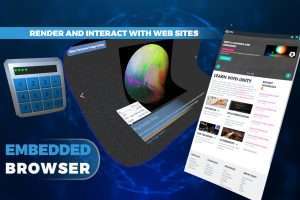
Render a webpage to a texture and fully interact with it! Expedite your inventory manager, simplify your registration page, or build a UI at lightning speed!
Demo | Docs
This Asset supports Standalone platforms only, see below.
Features
– Render sites to 2D or 3D objects
– Chromium backend; best-in-class support for: HTML, CSS, and JavaScript
– Call JavaScript¹ from Unity
– Call Unity from JavaScript¹
– Transparent or opaque page background
– Embed HTML + assets in game
– Comprehensive 3D UI/HUD demo
– Context menus, alert/prompt/confirm/pw prompt
– Customizable design, no OS modals
– Control: url, back, reload, resize, etc.
– Mipmap-emulation shader: faster texture updates without sparkles
– Intercept new windows and create in-scene objects for them
– Minimalist JSON library
– <video> support for Chromium’s open codecs (non-live YouTube videos should work; Vimeo, Twitch will not. Use WebM/VP9 for your own videos.)
– Render SVGs
– Customize cursors
– Experimental support for Adobe Flash
– Page inspector
– Edit/delete cookies
– Customizable mouse/keyboard input
– Included: mouse click, FPS, or GUI
– Included: VR (HTC Vive and Oculus Touch tested on Windows)
– Included: World-space keyboard for VR
– Build files included automatically
– Set Chromium CLI flags
Supported Platforms
– Windows 32-bit Standalone (Mono)
– Windows 64-bit Standalone (Mono, il2cpp)
– OS X 64-bit Standalone (Mono, il2cpp)
– Linux 64-bit Standalone (experimental) (Mono)
Unfortunately Android (including Oculus Quest), iOS, UWP (including HoloLens), other platforms, and the Mac App Store are not supported at this time. Further details. Wish for more.
Check the readme for more details! Grab the demo to try it out!
¹”JavaScript” refers to ECMAScript, used in web browsers, not UnityScript, used in Unity Engine scripting. More