Dev Asset Collection

All Things That You Need to Build A Video Game
Menu
  • 2D
    • Characters
    • Environments
    • Fonts
    • GUI
    • Textures & Materials
  • 3D
    • Animations
    • Characters
    • Environments
    • GUI
    • Props
    • Vegetation
    • Vehicles
  • Add-Ons
    • Machine Learning
    • Services
  • Audio
    • Ambient
    • Music
    • Sound FX
  • Essentials
    • Tutorial Projects
  • Templates
    • Packs
    • Systems
    • Tutorials
  • Tools
    • AI
    • Animation
    • Audio
    • Camera
    • Game Toolkits
    • GUI
    • Input Management
    • Integration
    • Level Design
    • Localization
    • Modeling
    • Network
    • Painting
    • Particles & Effects
    • Physics
    • Sprite Management
    • Terrain
    • Utilities
    • Version Control
    • Video
    • Visual Scripting
  • VFX
    • Particles
    • Shaders
Home
Tools
Utilities
Selection Keeper for Unity – Free Download

Selection Keeper for Unity – Free Download

Tsunami 29 November, 2023
Sending
User Rating 0 (0 votes)

This is a paid asset, but now you can download Selection Keeper for Unity for FREE, Please keep in mind this package is provided only for learning purposes or to be able to test before buying the product, NOT FOR COMMERCIAL PURPOSES.

For more details about this asset: Click Here

Selection Keeper for Unity v1.2.0

Download Now

“Sharing is caring”

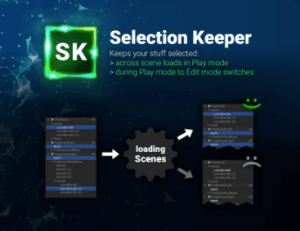
Keep your selection across scene loads and play mode changes.

✔️ Keep things selected across scene loads.

Usually your selection is lost once another scene is loaded. This plugin restores your selection after each scene load in PLAY mode.

✔️ Full source code included

✔️ Tiny files size (< 40 KB)

It is pure code which is placed in Plugins/Editor by default.

✔️ Compatible with Unity 5.4+, 2017, 2018, 2019, 2020, 2021, 2022, ..

Yes, it’s been around for a while 😉

⚙️ Installation

Download the Asset and import it into your project. You are done, no additional setup is needed.

A new menu called “Selection Keeper” will be available under “Tools” in the main menu bar. Go check it out once the import is done.

Info: the asset files will be copied into /Assets/Plugins/SelectionKeeper/Editor. The settings and manual files will be created in the same location.

⚠️ Known Issues

* Objects which are marked as “Do not destroy on load” will not be re-selected in PLAY mode. This is a Unity limitation.

❤️ If you like this asset then maybe you’ll like these too:

✏️ Smart UI Selection

Skip the hierarchy search. What you click is what you select.

⚒️ Pivot Cursor

Rotate around anything, not just the pivot.

🐭 Mouse Button Shortcuts

Go back and forth in history with your mouse buttons.

 

Prev Article
Next Article

Related Articles

Roslyn C# – Runtime Compiler 2.0 – Free Download
Tsunami 29 June, 2026

Roslyn C# – Runtime Compiler 2.0 – Free Download

Health System Pro – Plug & Play Solution – Free Download
Tsunami 17 December, 2023

Health System Pro – Plug & Play Solution – Free Download

InspectMe Pro – Advanced Tree-View Debugging & Inspection Toolkit – Free Download
Tsunami 21 February, 2025

InspectMe Pro – Advanced Tree-View Debugging & Inspection Toolkit – Free Download

Billboard Baker Pro Bundle – Free Download
Tsunami 16 July, 2020

Billboard Baker Pro Bundle – Free Download

Leave a Reply Cancel Reply

Recent Posts

  • Real Landscapes – Valley Forest – Free Download
  • Simple Particle Scaler – Free Download
  • Ivy Studio – Procedural vine generation – Free Download
  • ToonScapes: Spring Isles – Free Download
  • Dark Fantasy Menus – Synty INTERFACE – GUI – Free Download

Dev Asset Collection

All Things That You Need to Build A Video Game
Copyright © 2026 Dev Asset Collection
Privacy Policy | Disclaimer | DMCA