For more details about this asset: Click Here
This is a paid asset, but now you can download Low Poly Mesh Generator for FREE, Please keep in mind this package is provided only for learning purposes or to be able to test before buying the product, NOT FOR COMMERCIAL PURPOSES.
Low Poly Mesh Generator v2017.2
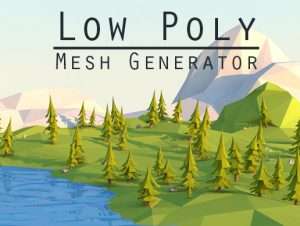
Tool uses classic method for generating “lowpoly” or “flat shaded” style meshes by baking texture directly inside vertex color and averaging face normal.
Converted mesh has exactly same amount of triangles as original, but each one with unique color and normal vector.
While there are several similar tools in this store Low Poly Mesh Generator offers features that none of them can do.
1. Tool works with all types of meshes with any hierarchy:
• Solid meshes
• Skinned meshes
• Terrains
• Complex meshes like SpeedTree
2. Ultra fast converter that works in Editor and Runtime.
3. Fastest terrain conversion using Terrain To Mesh algorithm, with total control of vertex and chunk count.
4. Possibility to choose bake texture and color.
5. Texture gaussian blur.
6. Two texture baking instead of one.
7. Preserving original mesh vertex colors.
8. No need for preparing meshes, textures or creating prefabs, tool will do everything for you just in one click.
9. Supporting complex meshes like SpeedTree.
10. Supporting Substance material baking into vertex color.
11. Combining final meshes into one.
12. Merging multiple sub-materials for achieving one draw call optimization.
13. Wide range of vertex color shaders: Mobile (Unlit and One Directional Light), Legacy and Standard shading models.
Still have questions? Forum.
Note:
• Plugin doesn’t reduce triangle count, do not confuse with mesh decimation tool.
• Already included in Mesh Materializer asset.
• Scripts are packed in dll.
• Blendshapes are not supported.