Dev Asset Collection

All Things That You Need to Build A Video Game
Menu
  • 2D
    • Characters
    • Environments
    • Fonts
    • GUI
    • Textures & Materials
  • 3D
    • Animations
    • Characters
    • Environments
    • GUI
    • Props
    • Vegetation
    • Vehicles
  • Add-Ons
    • Machine Learning
    • Services
  • Audio
    • Ambient
    • Music
    • Sound FX
  • Essentials
    • Tutorial Projects
  • Templates
    • Packs
    • Systems
    • Tutorials
  • Tools
    • AI
    • Animation
    • Audio
    • Camera
    • Game Toolkits
    • GUI
    • Input Management
    • Integration
    • Level Design
    • Localization
    • Modeling
    • Network
    • Painting
    • Particles & Effects
    • Physics
    • Sprite Management
    • Terrain
    • Utilities
    • Version Control
    • Video
    • Visual Scripting
  • VFX
    • Particles
    • Shaders
Home
Tools
GUI
VR UIKit – Bootstrap Your VR App with Ease – Dev Community

VR UIKit – Bootstrap Your VR App with Ease – Dev Community

Tsunami 13 May, 2021
Sending
User Rating 0 (0 votes)

For more detail this asset from the Unity Asset Store: Click Here

VR UIKit – Bootstrap Your VR App with Ease v3.6.0

(Tested with Unity version 2020.3.23f1)

Download Now

“Sharing is caring”

⚡Build Cross-platform VR App With Ease
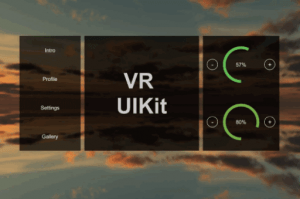
VR UIKit is the most popular UI framework for faster and easier VR development. It is versatile, unopinionated, and with great Unity Editor Integration. It includes many battle-tested components that have been widely used in VR community.
This package supports mouse control, gaze control, laser pointer control, and any other existing input method in the market.
To support TextMesh Pro, this package includes an editor tool which can convert all or selected Text into TextMesh Pro by only a single click!

⚡Components
– ✨Keyboard with Text Prediction
– ✨Radial Menu
– Menu, Multi-level menu
– Tab Panel
– Thumbnail gallery (Drag&drop images to dynamically populate gallery items)
– Scrollable List, List group
– Keyboard, Form with Keyboard
– Progress bar
– Options
– Pagination
– Buttons
– Inputs

⚡Supported Platforms
✓ Unity XR Interaction Toolkit
✓ Vive (SteamVR v2.0.1)
✓ Vive (SteamVR v1.2.3)
✓ Oculus Rift
✓ Oculus Quest
✓ Oculus Go
✓ Gear VR
✓ TextMesh Pro

⚡Demo Scene
– Mouse Control
– Gaze Control
– Gaze Control (No headset, Mouse Simulation)
– Unity XR Interaction Toolkit Control
– Oculus Laser Control
– Vive Laser Control
– Vive Laser Control (SteamVR plugin v2.0.1)

Find the documentation here
If you have any issues, please contact [email protected].


Prev Article
Next Article

Related Articles

Energy Bar Toolkit – Dev Community
Tsunami 18 October, 2020

Energy Bar Toolkit – Dev Community

Txt Size Matters – Dev Community
Tsunami 27 December, 2024

Txt Size Matters – Dev Community

World Map Globe Edition – Dev Community
Tsunami 18 August, 2020

World Map Globe Edition – Dev Community

ReactUI – A WebGL React-based UI system – Dev Community
Tsunami 10 January, 2023

ReactUI – A WebGL React-based UI system – Dev Community

Leave a Reply Cancel Reply

Recent Posts

  • Tower Defense Game (URP) – Free Download
  • Mesh God 4000 – Mesh Extractor, Pivot & Shading Tools – Free Download
  • Picture Coloring – Color By Numbers Game – Free Download
  • Pure Nature 2 : Swamp – Free Download
  • 2D Top Down RPG Sandbox Project – Free Download

Dev Asset Collection

All Things That You Need to Build A Video Game
Copyright © 2026 Dev Asset Collection
Privacy Policy | Disclaimer | DMCA