This is a paid asset, but now you can download First Person Exploration Kit for FREE, Please keep in mind this package is provided only for learning purposes or to be able to test before buying the product, NOT FOR COMMERCIAL PURPOSES.
For more details about this asset: Click Here
First Person Exploration Kit v2.2.7 (Latest version)
First Person Exploration Kit v2.2.6
First Person Exploration Kit v2.2.4
First Person Exploration Kit v2.2.3
First Person Exploration Kit v1.1
“Sharing is caring”
Fully Compatible with Unity 5.6.7+, 2017, 2018, and Unity 2019. Uses Unity’s UI Canvas System.
First Person Exploration Kit is a complete package to create a First Person Environmental Exploration or Adventure game.
It includes everything you need to get started.
Upgrading from 1.2? Have a look at the migration guide
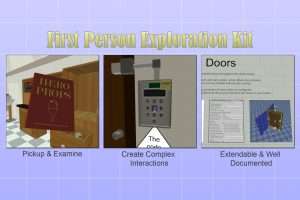
Now with Doors and Drawers, so you can search through desks, cupboards, cabinets & more!
Complete with Save Game System with auto-save on level change (designed for Windows PC)
Full Menu System with UI elements and graphics with templates
Full character controller with optional Run, Jump and Crouch
Built in Keyboard, Mouse, and XBox gamepad support with extendable input system
Includes 10 different Base interaction types for a variety of interesting ways to interact with the world
Dozens of example complex and custom prefab interactable objects
10 Photoshop templates included to fully customize UI and gameplay graphics
Over 100 interaction sound effects included
Over 50 demo models with Photoshop source files
Fully documented setup and customization guide for all aspects of the package
Demo and Test scenes included
Completely customizable!
Try out the demo for Windows. (alternate download host). All demo scene is included in the package.
View the full documentation online.
Demo Scenes
There are 3 demo scenes provided with the asset that show how you can create objects of every type in the asset. These demo scenes also provide a core game loop from Main Menu through the 2 demo levels and back. Please refer to these levels for ideas and details on how your prefabs and other functionality can best take advantage of the provided functionality.
Creating a Brand New Scene
Below are the simple steps required to go from a new Unity Scene to a playable interactable scene using First Person Exploration Kit:
Create a new Unity Scene
Delete the Main Camera
Add some geometry such as a plane or cube for the player to walk on
Add an instance of the FPECore prefab
Run your scene
To add interactions, place some of the provided demo prefabs such as the demoSoup or demoApple into your scene.
Run your scene again, and walk over to the objects and interact with them.
You’re ready to start creating your own interactions!
When you’re ready to make a build, be sure to read the section on Making Your First Build.