Dev Asset Collection

All Things That You Need to Build A Video Game
Menu
  • 2D
    • Characters
    • Environments
    • Fonts
    • GUI
    • Textures & Materials
  • 3D
    • Animations
    • Characters
    • Environments
    • GUI
    • Props
    • Vegetation
    • Vehicles
  • Add-Ons
    • Machine Learning
    • Services
  • Audio
    • Ambient
    • Music
    • Sound FX
  • Essentials
    • Tutorial Projects
  • Templates
    • Packs
    • Systems
    • Tutorials
  • Tools
    • AI
    • Animation
    • Audio
    • Camera
    • Game Toolkits
    • GUI
    • Input Management
    • Integration
    • Level Design
    • Localization
    • Modeling
    • Network
    • Painting
    • Particles & Effects
    • Physics
    • Sprite Management
    • Terrain
    • Utilities
    • Version Control
    • Video
    • Visual Scripting
  • VFX
    • Particles
    • Shaders
Home
3D
Animations
Brutal Double axe Anim Set – Dev Community

Brutal Double axe Anim Set – Dev Community

Tsunami 1 July, 2021
Sending
User Rating 1 (1 vote)

For more detail this asset from the Unity Asset Store: Click Here

Brutal Double axe Anim Set v1.0 (Latest version)

Faster Download Download Now

“Sharing is caring”

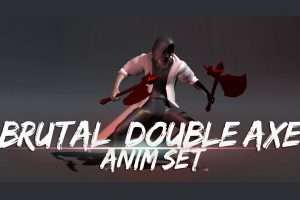
Brutal Double axe Set is included +113 anims

This asset is for main character with Double axes like a barbarian

(A weapon Included.)

e-Mail : [email protected]

Recommend: action RPG game for medieval fantasy.

Main Animation List :
26 attacks (4 combo)
4 avoid
4 roll
5 dead
1 buff
1 defense
2 dodge
3 equip/unequip
2 idle
12 hit
13 down (up & down)
1 Jump
2 step
8 move_run
8 move_walk
2 Run_stop
5 rise (up & down)
1 stun
1 throw
2 turn_90

The best way to contact me is e-mail.
[email protected]
I always appreciate your great comments and feedback.
————————————————-

+
Notes on purchasing multiple wemakethegame assets:
Assets from the past use the same GUID, so there is a possibility of asset package conflicts.

We’ll show you how to bypass them.
(*There is a possibility of crashing when importing directly from the Asset Store.)

1. Create a new project, download and save an asset.
2. Import it into your project.
3. For other projects, create a new Unity project and import it into your project.
 

Prev Article
Next Article

Related Articles

Hammer Warrior Mecanim Animation Pack – Dev Community
Tsunami 7 May, 2025

Hammer Warrior Mecanim Animation Pack – Dev Community

100 Daily Life | 2D Puppet Animations | Unisex Minimal Vector Style – Dev Community
Tsunami 6 April, 2021

100 Daily Life | 2D Puppet Animations | Unisex Minimal Vector Style – Dev Community

Couples Anim Pack – Dev Community
Tsunami 3 January, 2023

Couples Anim Pack – Dev Community

Silent Corner & Cover Takedowns Animation Pack – Dev Community
Tsunami 5 December, 2025

Silent Corner & Cover Takedowns Animation Pack – Dev Community

Leave a Reply Cancel Reply

Recent Posts

  • Retro Arsenal – Free Download
  • Shatter Stone: Fossils – Free Download
  • Pinnr – World to Screen UI – Free Download
  • Infinite Runner Engine 3D – Dev Community
  • OmniShade Pro – Mobile Optimized Shader – Dev Community

Dev Asset Collection

All Things That You Need to Build A Video Game
Copyright © 2026 Dev Asset Collection
Privacy Policy | Disclaimer | DMCA