For more details about this asset: Click Here
This is a paid asset, but now you can download Status Indicators for FREE, Please keep in mind this package is provided only for learning purposes or to be able to test before buying the product, NOT FOR COMMERCIAL PURPOSES.
Status Indicators v1.4 (Latest version)
Status Indicators v1.0
“Sharing is caring”
This is a standalone upgrade to Spell Indicators. It contains over 30 graphics, adjustable cone angle, stretchable missile indicator, health/progress/charge-up indicators, as well as other indicator types.
Update 13 Oct 2019:
Currently there are no plans to support HD/LW RP due to complexity. It is not a typical shader that can be easily transferred to ShaderGraph. Sorry.
Update 03 Jun 2018:
Implemented requested feature. Projector Ignore Layers and Mouse Raycast Layer only need to be set from the Splat Manager, settings are propagated to all child Splats.
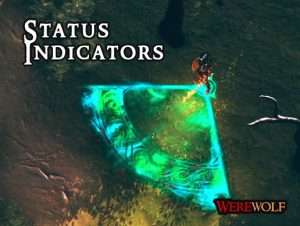
Status Indicators was developed to provide more aesthetically pleasing visual communication to the player about a characters status.
Rather than having obstructive popups, show the progress of your skills, spells, and resource states in a way that flows visually with your game.
There are 11 different shaders that you can apply with very dynamic capabilities.
Such as giving your indicators unique designs and beautiful effects, or customizing the shape at runtime, or having progress bars fill up as you use them.
As these are projector shaders, they will not be obstructed by objects or float in mid-air, and you can specify which layers to project over or under.
There are over 30 textures to customize your splats, as well as 25 premade variations if you want to get started quickly.
The code is well structured, adhering to proper object-oriented programming principles, so that you can modify the scripts with less hassle.
There is not another package out there that will allow you to do this level of customisation on projectors that you can do with Status Indicators.