For more details about this asset: Click Here
This is a paid asset, but now you can download Mesh Editor for FREE, Please keep in mind this package is provided only for learning purposes or to be able to test before buying the product, NOT FOR COMMERCIAL PURPOSES.
Mesh Editor v1.9
Mesh Editor v1.6
“Sharing is caring”
———————————————————
Advanced Mesh Editing in Unity
———————————————————
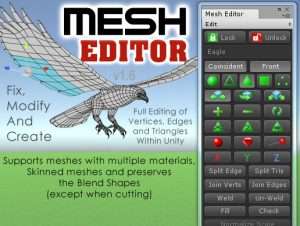
Mesh Editor is the most feature packed and powerful editing utility available for Unity. The feature list includes all of the functions you would expect in an advanced mesh editing utility and it is still growing!
Ideal for editing, modifying and creating new meshes right within Unity.
Please Note: This version of Mesh Editor works with Unity versions 5.5.0 to 2019.2.0. The program is not recommended for versions of Unity after this due to changes made within the Unity editor.
Video Playlist
Feature List
———————————-
– Unity 5 Ready
– Supports Skinned Meshes
– Subdivide triangles
– Lock/Unlock Target Object
– Save Mesh
– Save Prefab
– Custom Save Paths
– Select All
– Clear Selected
– Shift To Deselect
– Invert Selected
– Delete Triangles
– Double Sided Triangles
– Reverse Triangles
– Smooth Triangles
– Facet Triangles
– Normalize Scale
– Vertex Move/Rotate/Scale
– Edge Move/Rotate/Scale
– Triangle Move/Rotate/Scale
– Texture Move/Rotate/Scale
– Extrude Edges
– Extrude Triangles
– Auto UV Update
– Local/World Orientation
– Front Selection Toggle
– Render Wireframe
– Quick Highlights
– Snap To Grid
– Snap To Rotation
– Flip X, Y, Z Axes
– Set/Adjust Pivot Point
– Auto Save Settings
– Manual Save/Load Settings
– Load Default Settings
– Full Undo/Redo
– Customizable Colors
– Adjustable Epsilon Value
– Max Smoothing Angle
– Full Marquee Selection
– Split Mesh
– Create Submesh
– Export to OBJ Format
– Tooltips
– Edge Splitting
– Triangle/Hole Filling
– Individual UV Editing
– Procedural Geometry
– Modify Normals
– Weld Verts/Edges/Tris
– Un-Weld Verts/Edges/Tris
– Join Vertices
– Join Edges
– Check Invalid Verts/Tris
– OBJ Export Function
– Pivot Point Handles
– Custom Skins
– Toolbar
– Modern GUI, Single Column
– Switchable Pages
– Custom Skin
– Support for Blend Shapes
– Adds Missing Normals and UVs
– Programmable Hotkeys
Videos | Website | Tutorials | Contact
This package also includes 60 new primitive shapes that were made with Geom.
*****
Mesh Editor is also included in the Mesh Maker collection Available Here.
Save by buying all 16 modeling & editing tools in the one bundle.
*****