Dev Asset Collection

All Things That You Need to Build A Video Game
Menu
  • 2D
    • Characters
    • Environments
    • Fonts
    • GUI
    • Textures & Materials
  • 3D
    • Animations
    • Characters
    • Environments
    • GUI
    • Props
    • Vegetation
    • Vehicles
  • Add-Ons
    • Machine Learning
    • Services
  • Audio
    • Ambient
    • Music
    • Sound FX
  • Essentials
    • Tutorial Projects
  • Templates
    • Packs
    • Systems
    • Tutorials
  • Tools
    • AI
    • Animation
    • Audio
    • Camera
    • Game Toolkits
    • GUI
    • Input Management
    • Integration
    • Level Design
    • Localization
    • Modeling
    • Network
    • Painting
    • Particles & Effects
    • Physics
    • Sprite Management
    • Terrain
    • Utilities
    • Version Control
    • Video
    • Visual Scripting
  • VFX
    • Particles
    • Shaders
Home
Tools
Modeling
Mesh Toolkit – Dev Community

Mesh Toolkit – Dev Community

Tsunami 15 July, 2020
Sending
User Rating 0 (0 votes)

For more detail this asset from the Unity Asset Store: Click Here

This is a paid asset, but we’ll share Mesh Toolkit for FREE, Please keep in mind this package is provided only for learning purposes or to be able to test before buying the product, NOT FOR COMMERCIAL PURPOSES.[/v0lcano]

Mesh Toolkit v1.13

Download Now

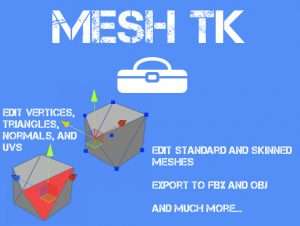
Mesh Toolkit is an essential set of tools for working with meshes. It helps you to visualize, troubleshoot and correct meshes. Mesh Toolkit allows you to quickly view and edit mesh vertices, triangles, normals, and uvs.

– Full Source Code Included
– Works with Unity Free and Unity Pro
– Supports Unity 4.x and 5.x
– Edit Mesh objects, even skinned Meshes!
– Now includes a basic API
– Check out the website
– Read the manual
– Check out the video

Some of the features:
– Change mesh name
– Make mesh unique
– Save mesh as asset, OBJ, or FBX
– Combine children into mesh
– Apply/Bake transform
– Mirror Mesh
– Center pivot
– Set pivot
– Split vertices
– Share double vertices
– Remove unused vertices
– Generate triangle strips
– Select mesh geometry using single select, box select, or paint select.
– Move, rotate, scale, color, weld, and delete vertices
– Move, rotate, scale, flip, extrude, subdivide, detach, and delete triangles
– Rotate, invert, and calculate normals
– Move, rotate, flip, unwrap, and export mesh uvs
– Create flat mesh primitives




Prev Article
Next Article

Related Articles

Simple LOD – Dev Community
Tsunami 3 September, 2020

Simple LOD – Dev Community

Whiskey Structure Builder – Dev Community
Tsunami 26 September, 2025

Whiskey Structure Builder – Dev Community

Broccoli Tree Creator – Dev Community
Tsunami 4 December, 2025

Broccoli Tree Creator – Dev Community

UModeler – Dev Community
Tsunami 7 January, 2025

UModeler – Dev Community

Leave a Reply Cancel Reply

Recent Posts

  • EASTLANDS : Stylized Asian Environment – Free Download
  • KAWAII ANIMATIONS Cool Action – Free Download
  • Ancient Ruins 2D Locations – Free Download
  • Biomes and Presets 4 for MicroVerse – Dev Community
  • MIGHTY PERFORMANCE PACK – Dev Community

Dev Asset Collection

All Things That You Need to Build A Video Game
Copyright © 2026 Dev Asset Collection
Privacy Policy | Disclaimer | DMCA